A change event is the first record that something on a project may change its cost, scope or schedule. It is logged when the issue shows up, before anyone has priced it or agreed who pays, so the exposure is visible and the contract’s notice clock is protected. A change event can lead to one or more potential change orders, or to none.
Typical sources are an RFI answer that adds scope, an owner request, a hidden condition found in the field, a design error, a code official’s comment, a drawing revision or a sub’s notice of a change on its own scope. The super who finds it doesn’t have to price it. The PM decides whether it is a change.
How it works
- Log it the day it happens. Title, date, what happened, where it came from (the RFI, daily log, photo or bulletin), and a scope call: in scope, out of scope, or to be determined.
- Give the contract’s notice. If the event may be a change or a claim, send written notice within the deadline the contract sets. A201-2017 uses 21 days for claims; federal contracts under FAR 52.243-4 bar costs incurred more than 20 days before written notice of a constructive change. Your contract may be shorter.
- Enter a rough order of magnitude. A ROM by cost code, even a range, so the forecast reflects the exposure now.
- Get prices. Send it to the affected subs and suppliers for quotes.
- Turn it into potential change orders. A potential change order against the prime contract carries the revenue side, and one against the subcontract or PO carries the cost side.
- Close it. When the change order is executed, or when the event turns out to be in scope or void, close the event so it stops counting as open exposure.
Change event vs PCO vs change order
| Change event | Potential change order (PCO) | Change order | |
|---|---|---|---|
| What it says | Something happened that may cost money or time | Here is the price against this contract | The contract is amended |
| Contract | None yet | One contract (prime, subcontract or PO) | One contract |
| Number | Rough estimate (ROM) | Priced with backup and markup | Agreed and fixed |
| Signed by | Nobody | Internal review | Owner and contractor (and architect on AIA) |
| Can be billed | No | No | Yes, once executed |
For how the gap between the first and last columns shows up in margin, see change events vs change orders, and for the stage-by-stage flow, the explainer change events vs change orders: the full lifecycle.
Why it matters
Margin fade usually starts as a change event no one logged. If a team only tracks signed change orders, it misses exposure that is already being spent in the field, and the cost to complete stays too low until the owner signs, which can take months. Logging the event early does three things: the forecast includes the risk, the notice deadline is met, and the record (photos, RFI, daily log) is gathered while it is fresh.
Contract forms outside the US build the same step into the contract. Under the UK NEC4 Engineering and Construction Contract, an instruction changing the Scope, along with other listed events, is a compensation event with its own notice and quotation process. US forms don’t use that name, but a change event log does the same job.
Worked example
Illustrative, Riverside Medical Center:
- The superintendent’s daily log notes fire dampers missing from the level 3 corridor duct runs, with photos.
- The PM opens a change event that day, scope to be determined, and asks the design team in RFI-212.
- A ROM of $80,000 to $90,000 goes into the forecast against the fire protection cost code.
- RFI-212 confirms the dampers are required and weren’t shown. The event is marked out of scope.
- The mechanical sub quotes the work. Two PCOs are created from the event: one on the prime contract at $86,400 with markup, one on the mechanical subcontract for the sub’s cost.
- The owner signs CO #14 for $86,400 and 4 days. The event is closed and its budget change posts.
The exposure was in the forecast from the first day, weeks before the signature.
Common mistakes
- Waiting for a price before logging anything. The ROM can be wrong. Leaving it out is worse.
- Treating the log as notice. It isn’t. Send the written notice the contract requires.
- Leaving dead events open. Old events that will never be billed inflate exposure reports and hide the real ones.
- Splitting one issue into many events, or lumping many into one. One event per cause keeps the backup clean when the owner asks.
- No link to the source. An event without its RFI, photos or daily log is hard to defend later.
This is general information, not legal advice. Notice requirements depend on your contract.
How os.construction handles it
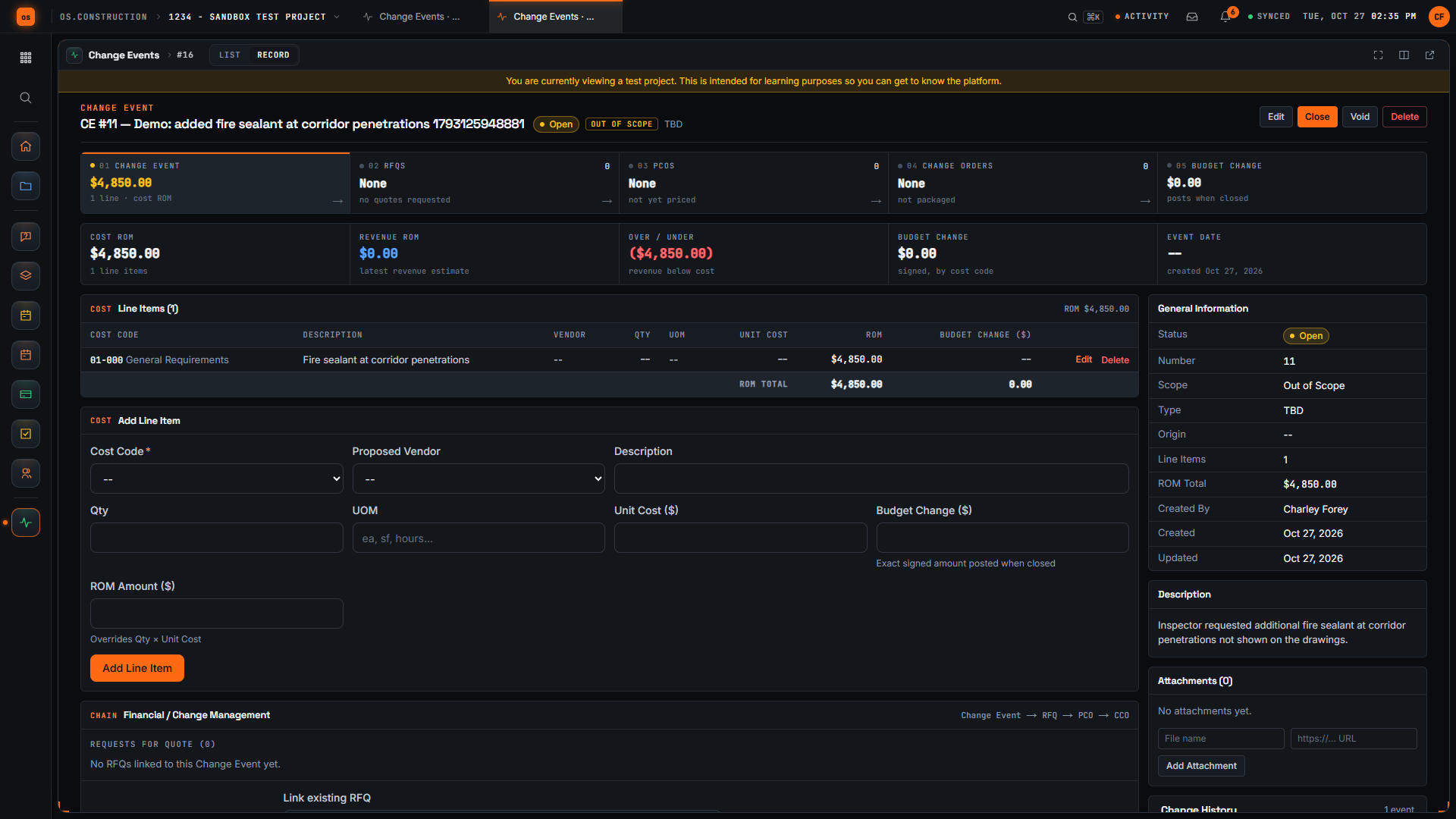
In the app, a change event has a title, a scope (TBD, In Scope or Out of Scope), a type (Allowance, Contingency, Owner Change or Transfer), an event date and an optional origin RFI. Line items carry cost code, proposed vendor, quantity, unit cost, a ROM and a budget change amount. You can create an RFQ from the event, then create potential change orders from it against the prime contract or a subcontract or PO. Closing the event posts its budget changes by cost code, and the posting history is kept. See Change events and change orders and Change events and PCOs.
Watch the explainer · 1:54
Change event vs change order
- 0:00A maybe vs a contract
- 0:18Log the event early
- 0:37Protect the notice clock
- 0:54Price it on one contract
- 1:11One change, several numbers
- 1:31Changes in os.construction
Read the transcript
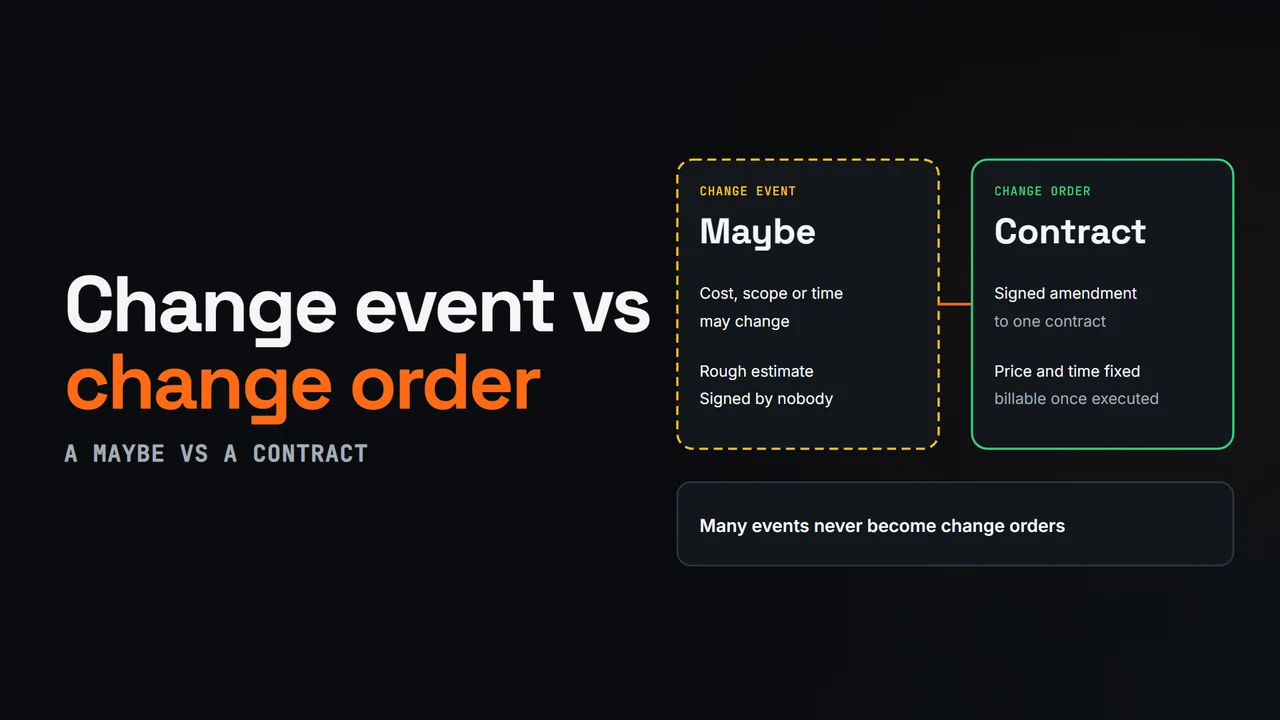
A change event is a maybe. A change order is a contract. The change event records that something may change cost, scope or time. The change order is the signed amendment that fixes the price and time. Many events never become change orders.
Log the change event the day it shows up: an RFI answer that adds work, an owner request, a hidden condition. Mark the scope as in, out, or to be determined, and enter a rough order of magnitude, or ROM, by cost code. It's an early estimate, not a price.
If it may be a change or a claim, give written notice within the contract's deadline. The AIA A201-2017 general conditions use twenty-one days for claims, and your contract may be shorter. Logging the event early keeps you inside that window, while the record is fresh.
Next, get quotes from the subs, then create a potential change order, or PCO, against one contract. A PCO on the prime contract carries the revenue side. One on the subcontract carries the cost side. The PCO is where markup is added.
Here's an illustrative change. The event's ROM is four thousand eight hundred fifty dollars. The awarded quote comes in at five thousand three hundred. The PCO adds ten percent markup, for five thousand eight hundred thirty. Only once it's approved and executed does the contract change, and only then can you bill it.
In os.construction, quotes and PCOs made from a change event link back to it, and approved PCOs are executed in packages. Pending prime PCOs show as pending changes in the budget, approved ones as approved changes, and executed ones land on line two of the pay app.
Video page with chaptersMore in Construction concepts explained
FAQ
What is a change event in construction?
A change event is the first record that something on a project may change cost, scope or time: an RFI answer that adds work, an owner request, a hidden condition or a drawing revision. It is logged before pricing or entitlement is settled, so the exposure is visible right away. It may later become one or more potential change orders, or none.
What is the difference between a change event and a change order?
A change event records that something happened and roughly what it might cost. A change order is the signed contract amendment that fixes the price and time. In between sit the potential change order, which prices the event against a contract, and usually a change order request sent to the owner. Many events never become change orders.
What is a change event vs a PCO?
The change event is the issue. The potential change order (PCO) is the priced proposal against one contract. One event can create a PCO on the owner's prime contract for revenue and another on a subcontract for cost, so both sides of the same change share one origin.
Should you log a change event if the change might be in scope?
Yes. Log it with scope marked as to be determined. It costs little to log an event and close it later as in scope or void, and it keeps you inside the contract's notice window if it turns out to be a real change. Unlogged events are where unbilled work and missed notices come from.
What is a rough order of magnitude (ROM) on a change event?
A ROM is a quick, early cost estimate, often a range, entered on the change event before quotes are in. It lets the PM put the likely exposure into the cost-to-complete forecast now instead of waiting weeks for a priced change order.