From first call to warranty, one record.
A CRM built for construction, not bent from sales software. It is its own module in the app, with apps for the pipeline, contacts, follow-ups and inquiries, on the same data core as the job: a won pursuit becomes the project, Analytics reads win rate and pipeline from the same rows, and closeout carries into service and warranty. Staff-side CRM is in preview; customer-facing links open once production ingress is ready.
Trace one relationship from inquiry to warranty.
Step through Riverside Medical Center on sample data: a website inquiry becomes an opportunity, moves onto the job, goes out as a reviewed proposal and a bid package, and comes back after closeout as warranty coverage on the CO #14 fire dampers.
- Website inquiry · Day 1Phase 2 inquiry lands in a private queue
Not a contact yet. A reviewer checks exact-email matches, then converts it to a lead and opportunity, or dismisses it with a reason.
- Opportunity · Qualified$48.2M pursuit with its owner and architect linked
Qualification, site visit, estimating. Probability, close date and source are kept, and every change lands in the forecast history.
- Project record · AttachedThe pursuit moves onto Job #24-118
Contacts, opportunities and activities keep their IDs. Nothing is re-keyed, and nothing touches the budget or contract.
- Proposal · Internal reviewItemized proposal approved by a second admin
Submitting freezes the scope, exclusions and lines, so the approved revision is the one that went out.
- Bidding · Private draftScope goes to Bidding without the sell price
A draft bid package with a private source receipt. Staff approve vendor-safe text before any sub is invited.
- Warranty · After closeoutCO #14 fire dampers on the asset register
Six rated dampers in the L3 corridor, with reviewed warranty coverage. A service case links the asset and the punch item behind it.
Sample data · Riverside Medical Center, Job #24-118. An in-browser sketch on sample data. The real tools are in the app: start a trial to use them on your own project.
One module for the pipeline. One data core under it.
CRM Home opens on its apps with live counts. Win rate and weighted pipeline come from the same opportunities in Analytics, and a won pursuit moves onto the project without an export.
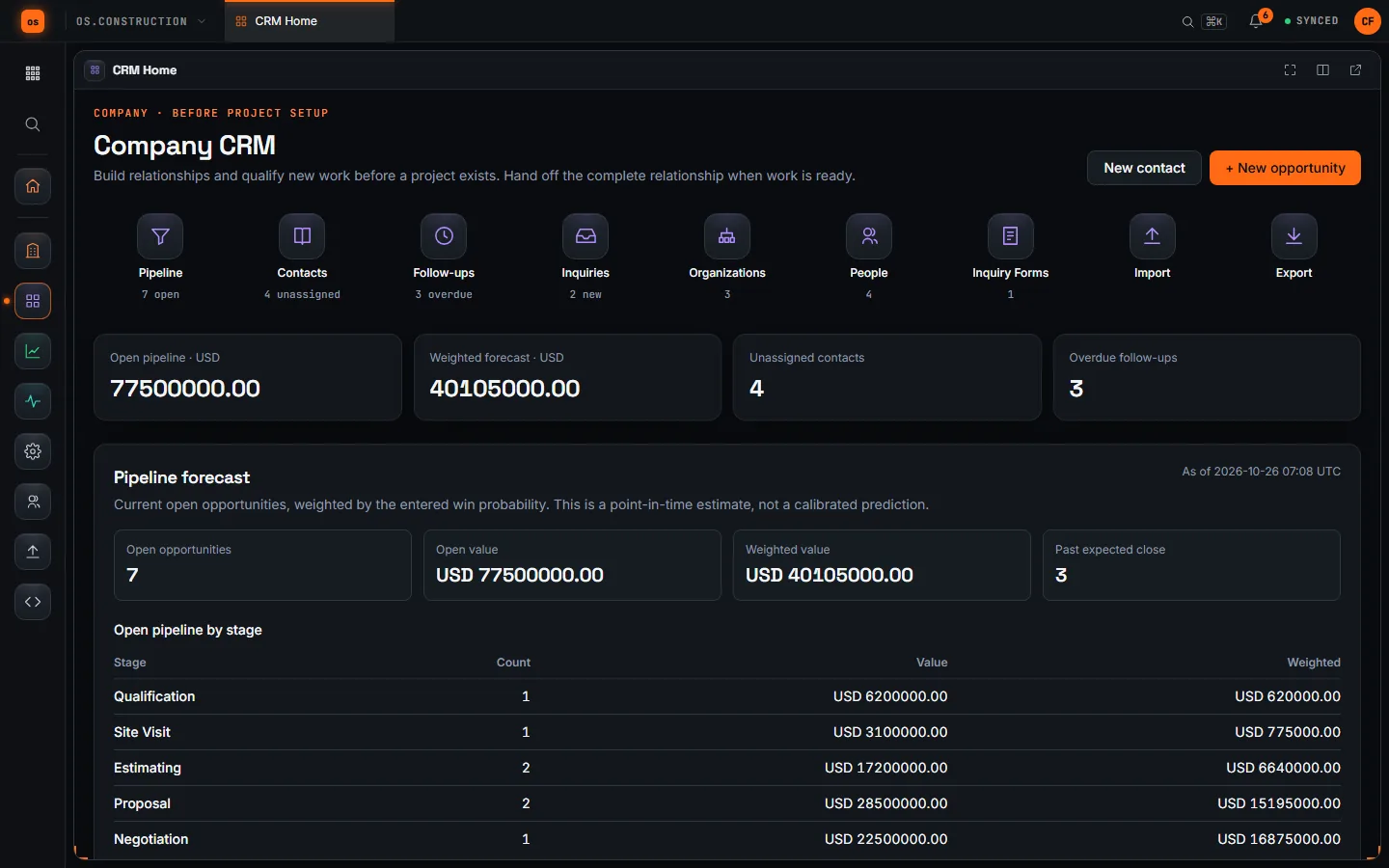
- CRMRiverside Medical Center pursuit$48.2M opportunity, owner and architect linked, marked Won
- ProjectJob #24-118Same contacts, same opportunity IDs. Nothing re-keyed.
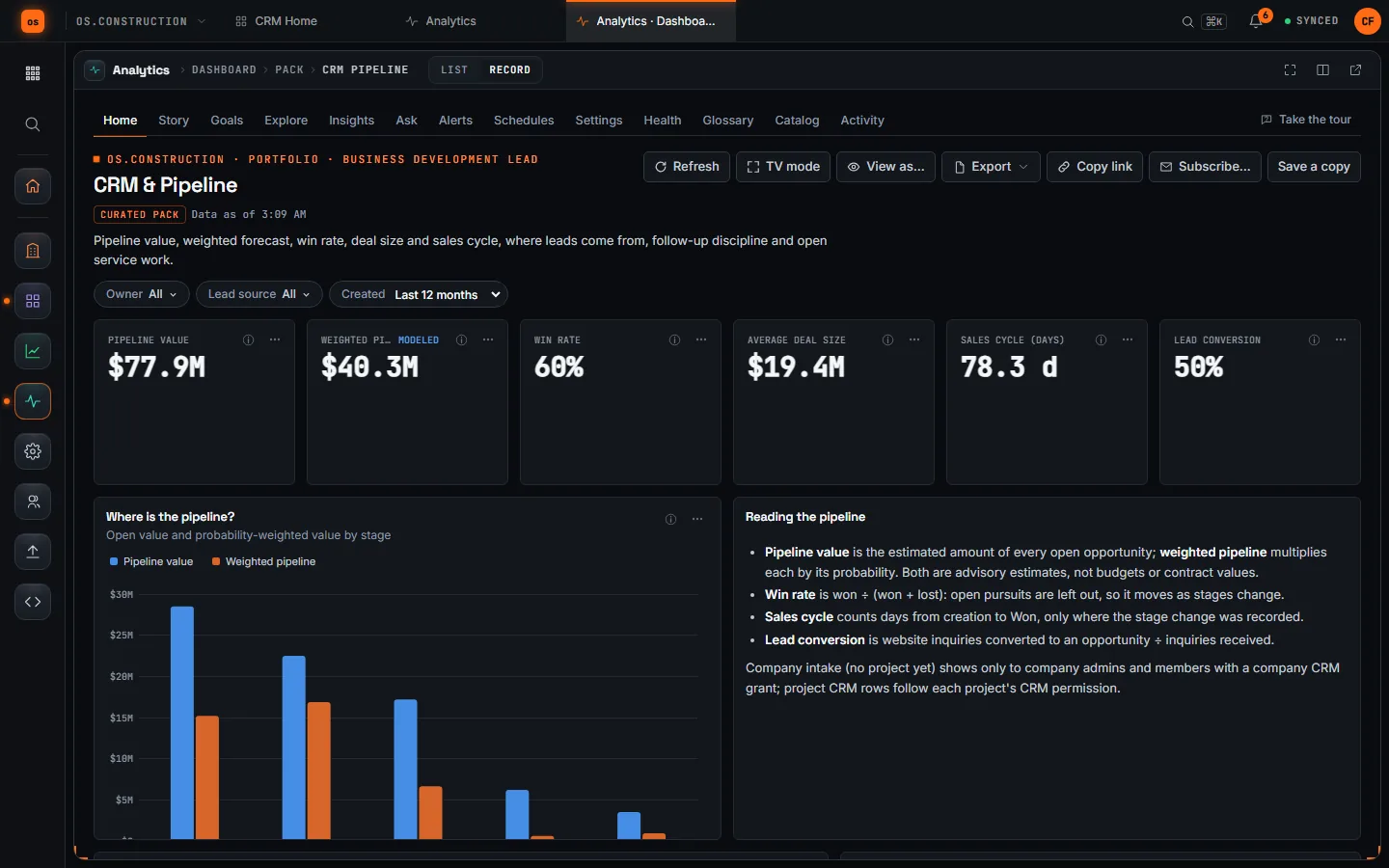
- AnalyticsWin rate, pipeline, marginRead from the same rows, filtered to what each person may see
What CRM covers
Preview items work with limits noted. Planned items are not built yet, and the founding cohort helps set the order.
- Preview
Its own module, ten apps
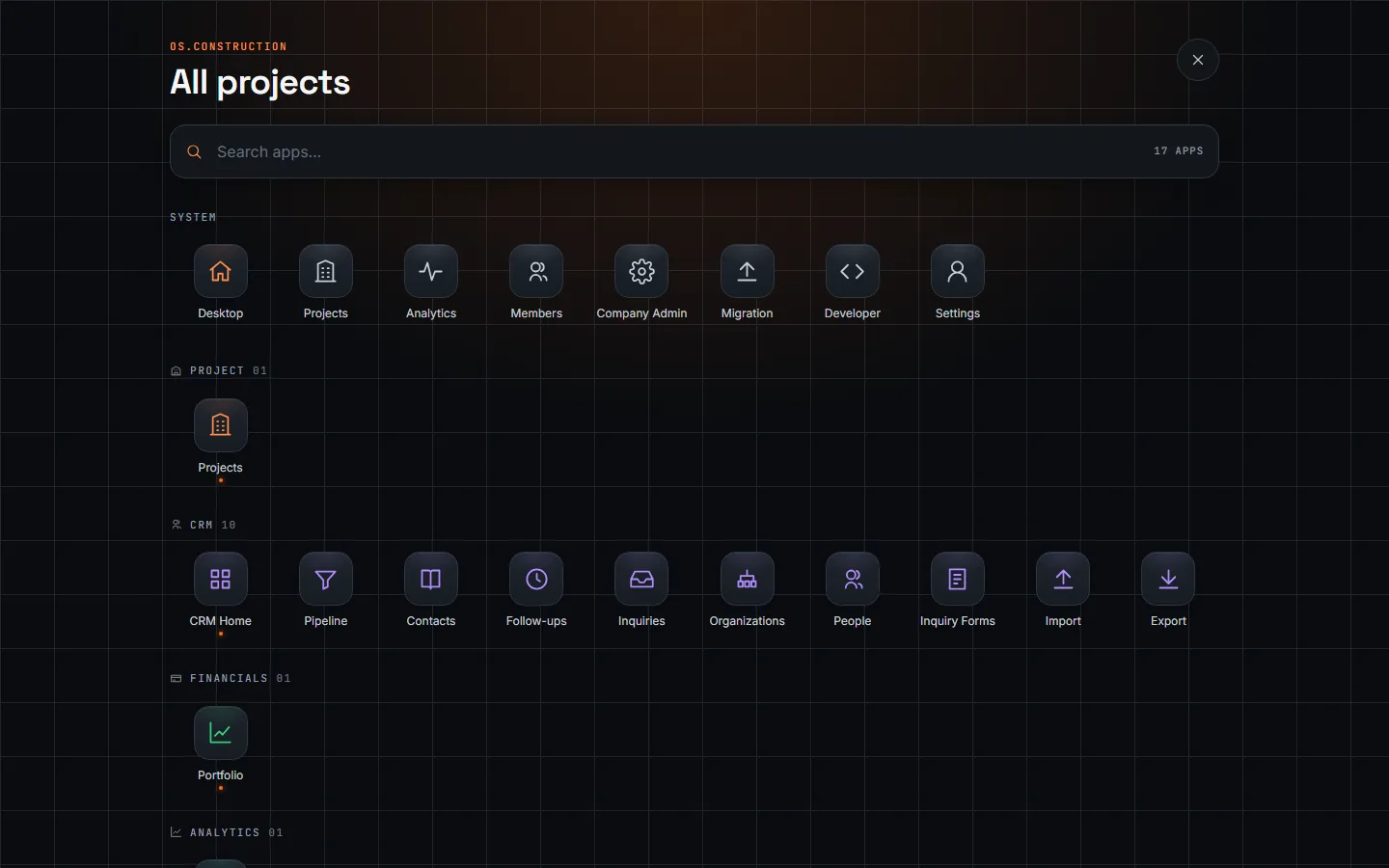
CRM has its own section in the launcher: CRM Home with live counts, Pipeline, Contacts, Follow-ups, Inquiries, Organizations, People, Inquiry Forms, Import and Export. Each person sees only the apps their access allows.
- Preview
Pipeline analytics
Pipeline value, weighted pipeline, win rate, average deal size, sales cycle and lead conversion in the CRM & Pipeline pack in Analytics, split by stage, source and owner, filtered to what each viewer may see.
- Preview
Website inquiries and triage
Inquiry forms feed a private review queue with assignment, priority and first-response targets. Staff convert each one to a lead or dismiss it with a reason. Public forms open once production customer ingress is in place.
- Preview
Organizations and people
One firm or person across every job, with their role on each project, reviewed duplicate resolution and a relationship timeline. CSV import with a duplicate preview, and export.
- Preview
Pipeline and forecast
Construction stages from qualification and site visit to won or lost. Weighted pipeline, stage age, forecast history and source cohorts. Estimates, never booked revenue.
- Preview
Proposals with internal review
Itemized proposals with scope, exclusions and validity. Submitting freezes the revision, and a second CRM administrator approves or rejects it.
- Preview
Bidding and buyout handoff
An approved proposal becomes a draft bid package without the customer sell price. Awards become draft commitments, with a buyout plan reviewed against a budget snapshot.
- Preview
Won-project handoff
Review a won opportunity into a new project, or attach a pursuit to an existing one. Records keep their IDs and history. Budgets and contracts stay in Financials.
- Preview
Action Center
One worklist of follow-ups, cases awaiting a first response, expiring offers and warranty dates, each linked to the record it came from.
- Preview
Service, warranty and assets
Service cases with response targets, reviewed warranty coverage and an installed-asset register with serials, commissioning dates and service history.
- Preview
Customer offers and portal
A frozen offer PDF behind a one-time link, and a customer portal for service requests, project updates, documents and decisions. Built; external access opens once production customer ingress is in place.
- Preview
Scoped access
Company intake uses explicit member grants; project CRM follows project permissions. A link between records never grants access to a project.
- Planned
Email and calendar history
Connected mailboxes and calendars, reminders and consent-aware outreach. Today an email activity records a conversation; it does not send one.
- Planned
Pursuit-to-profit
Win rates set beside the margin each job actually earned, so you know which pursuits are worth the next proposal.
How it connects to the rest of the OS
CRM doesn’t sync with the other modules. A won pursuit lands on the same project record the field and finance teams already use.
Go deeperDocs and glossary
Read how it works
- Construction CRMThe CRM module, app by app. Pipeline, contacts, follow-ups, website inquiries, organizations and people, inquiry forms, import and export, then the project handoff, proposals, service and warranty.Preview
- Analytics BI guideGet started with Analytics, build a dashboard from the metric catalog, read the CRM & Pipeline pack, share and schedule results, and understand exactly which rows each person sees.Preview
- Projects and the record modelHow a job is structured in os.construction, what a record is, which record types the app has, and how links between RFIs, change events, change orders and pay apps keep the story connected.Preview
- Roles and permissionsHow os.construction controls who sees and does what on each project, with one permission level per tool, permission templates, company admins and approval workflows.Preview
- Key concepts: one data coreWhy os.construction keeps project records, project financials and reporting on a single record model, and what that changes day to day.Preview
Run your next job on it.
Start a 14-day free trial with a sample project already set up. Want a say in what ships next? Join the founding program.