Goals, alerts and reports: which one when
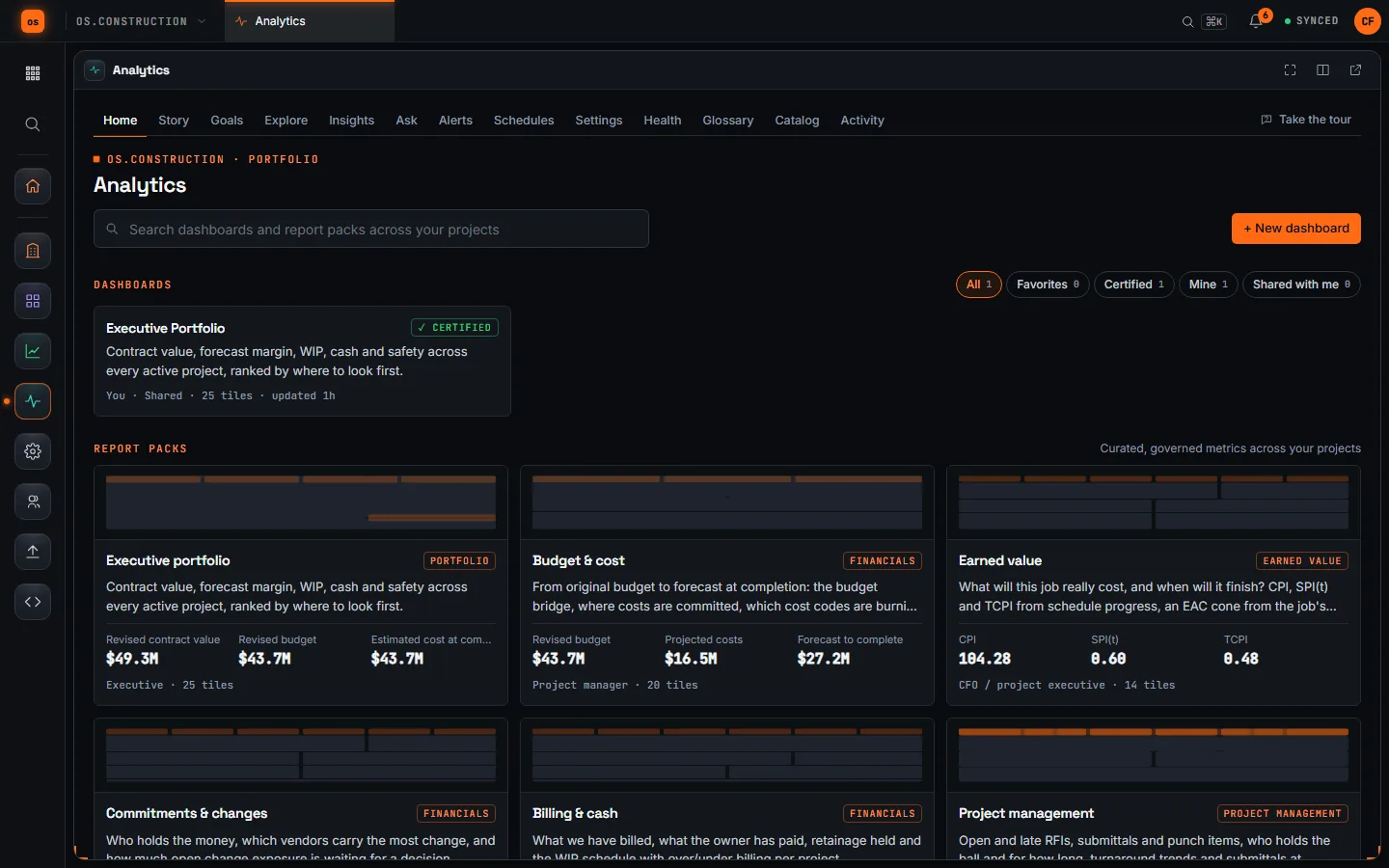
A dashboard only helps when someone looks at it. Analytics has four ways to bring the right number to the right person: goals, alerts, scheduled reports and insights. Here's what each one answers, how goal status is worked out, and a weekly routine that uses all four.
Four tools, four questions
Use a goal when a number has a target and an owner. Use an alert when someone must hear the moment a number crosses a line. Use a scheduled report when a group needs the same view on a timetable. Read insights for the things nobody thought to set a rule for. All four read the same governed metrics as your dashboards, and none of them shows a person a number they couldn't already open.
| Tool | Answers | Made of | When it runs | Who gets it | What you see |
|---|---|---|---|---|---|
| Goal | Are we where we said we would be? | A KPI with a target, an owner and an optional due date | Live, every time someone opens Goals or the scorecard | Shared with company Analytics, or private | Met, At risk, Behind, Unavailable; On track only by check-in |
| Alert | Tell me the moment it crosses a line | One metric, a threshold or percent change, a window | Checked every 15 minutes; fires once per period | Up to 50 recipients, in-app or in-app and email | Last value and last fired |
| Scheduled report | Put the numbers in front of people on a timetable | A dashboard, pack, exploration or Project Stories | Daily, weekly or monthly, optionally only if a condition holds | Up to 50 recipients, each rendered as themselves | Queued, Delivered, Failed or skipped |
| Insight | What changed that nobody set a rule for? | Findings from a built-in rule set, ranked by severity | Evaluated nightly | Everyone with Analytics, filtered to what they can read | Open, dismissed or resolved |
Met, At risk, Behind: a 10% band
A goal is Met when the value meets the target. It's At risk when it misses by no more than 10% of the target, and Behind past that. Example: Daily log compliance at least 95%. Ten percent of 95 is 9.5 points, so At risk runs from 85.5% up to 95%.
For an "at most" goal such as TRIR at or below 1.0, the band sits above the target: At risk up to 1.1, Behind beyond. If the value can't be read for you, the status is Unavailable, never zero. On track only appears when an owner sets it in a check-in. A check-in status stays in place, marked manual, until the next check-in.
The routine
MON 6:00 The brief arrives
A weekly schedule sends Project Stories: one written brief per project you can see, biggest moves first, built from fixed sentence templates over the same metrics as the dashboards. Every sentence links to the query behind it. Leadership reads it before the 7:30 meeting.
MON 7:00 PMs get their own pack
A second schedule sends the Project management pack as a PDF, One per project. Each PM gets only their job, rendered with their own access. The email carries download links, not attachments.
MON 7:30 Walk the goals board
Open Goals, filter to Behind and At risk, and ask each owner for a check-in with a note: what slipped and what happens next. The Scorecard shows every goal by project. A blank cell means that viewer can't read the number. Save as CSV drops it into the meeting notes.
TUE Read insights
Insights are evaluated nightly from a built-in rule set and ranked by severity. Each has Why? evidence, a ball in court and a next step. Assign the real ones, dismiss the noise with a reason, and choose Alert me if this persists on anything you want to keep watching.
WED 14:15 An alert fires
An alert on late RFIs, set to Each project separately, crosses 10 on one job. The PM and the ops manager get an in-app notice and an email, each computed with their own numbers. It won't fire again for that project until the next period, so nobody gets the same email every 15 minutes.
FRI 14:00 The exception report
A Friday schedule on the Commitments & changes pack uses Send only if: it goes out only when open change exposure is above the line you set. Most Fridays it's skipped, and the skip is recorded. When it does arrive, people read it.
Three quick rules
- If nobody owns it, don't make it a goal. A goal without an owner is a chart with a line on it. Tick Alert the owner when it falls behind so the owner hears about it.
- If it can wait until Monday, schedule it. Alerts are for numbers that need action this week. Everything else belongs in a scheduled report.
- If the email is usually boring, add a condition. Send only if turns a weekly report into an exception report.
Terms in this guide
Semantic layer · Row-level security · RFI · Daily log · Change event · Webhook
Keep going
Keep exploring
Related across os.construction
- DocsGuides by roleWhere to start in os.construction if you're a project manager, superintendent, project accountant or controller, owner's representative, or the company admin.
- GlossaryModel Context Protocol (MCP)An open protocol that lets an AI application discover and call tools and read data from other systems through a standard connector.
- GlossaryMeeting MinutesThe written record of a project meeting: who attended, what was decided on each topic, who owns each open item and by when.
- DocsAnalytics BI guideGet started with Analytics, build a dashboard from the metric catalog, read the CRM & Pipeline pack, share and schedule results, and understand exactly which rows each person sees.
- BlogHow to run an OAC meeting: agenda, minutes and follow-upThe weekly owner-architect-contractor meeting is where RFIs get pushed, submittals get chased and owner decisions get made, or don't. Here is how to set it up, a sample agenda, how to write minutes people can act on, and how to carry open items forward so nothing quietly drops off.
- BlogHow to write an RFI that gets answered the first timeMost slow RFI answers start with a vague question. Here is how to decide whether you need an RFI at all, how to write the subject, the question and the proposed fix, how to set a needed-by date the designer will respect, and what to do when the answer comes back. With a before-and-after example.
Want this on live job data?
Analytics is in preview in os.construction. Goals, alerts, scheduled deliveries, insights and Project Stories are live, and every number runs with the viewer's own permissions.
14-day free trial. Pricing for paid plans isn't set yet. Talk to us. Already have an account? Sign in →
All figures are illustrative. Pick targets and thresholds that fit your own jobs.