Read the transcript
Start with the project and date. We are in the local sample project's Daily Log, which opens on today. A useful field note tells the next reader what happened, where, and what needs attention next.
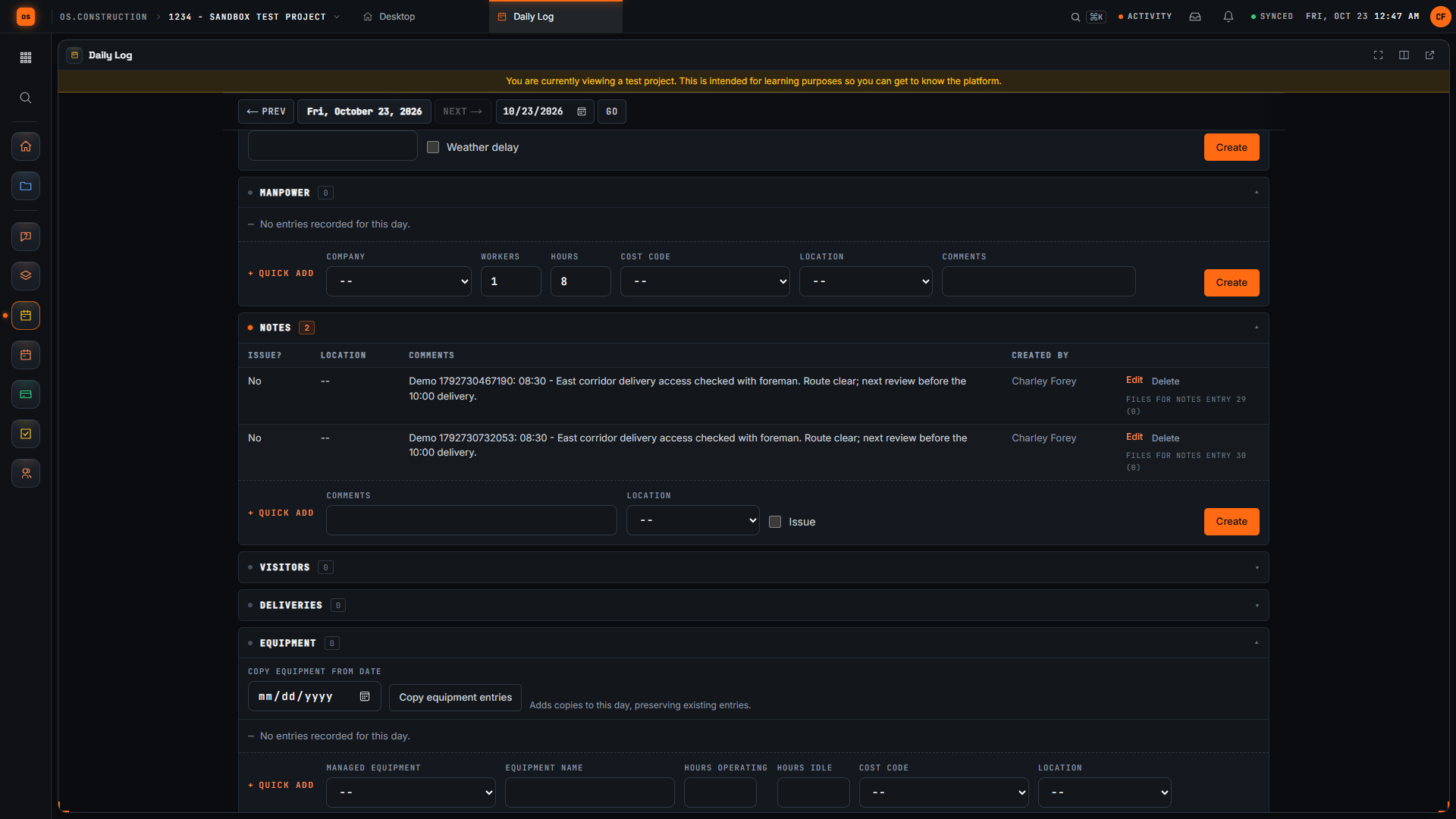
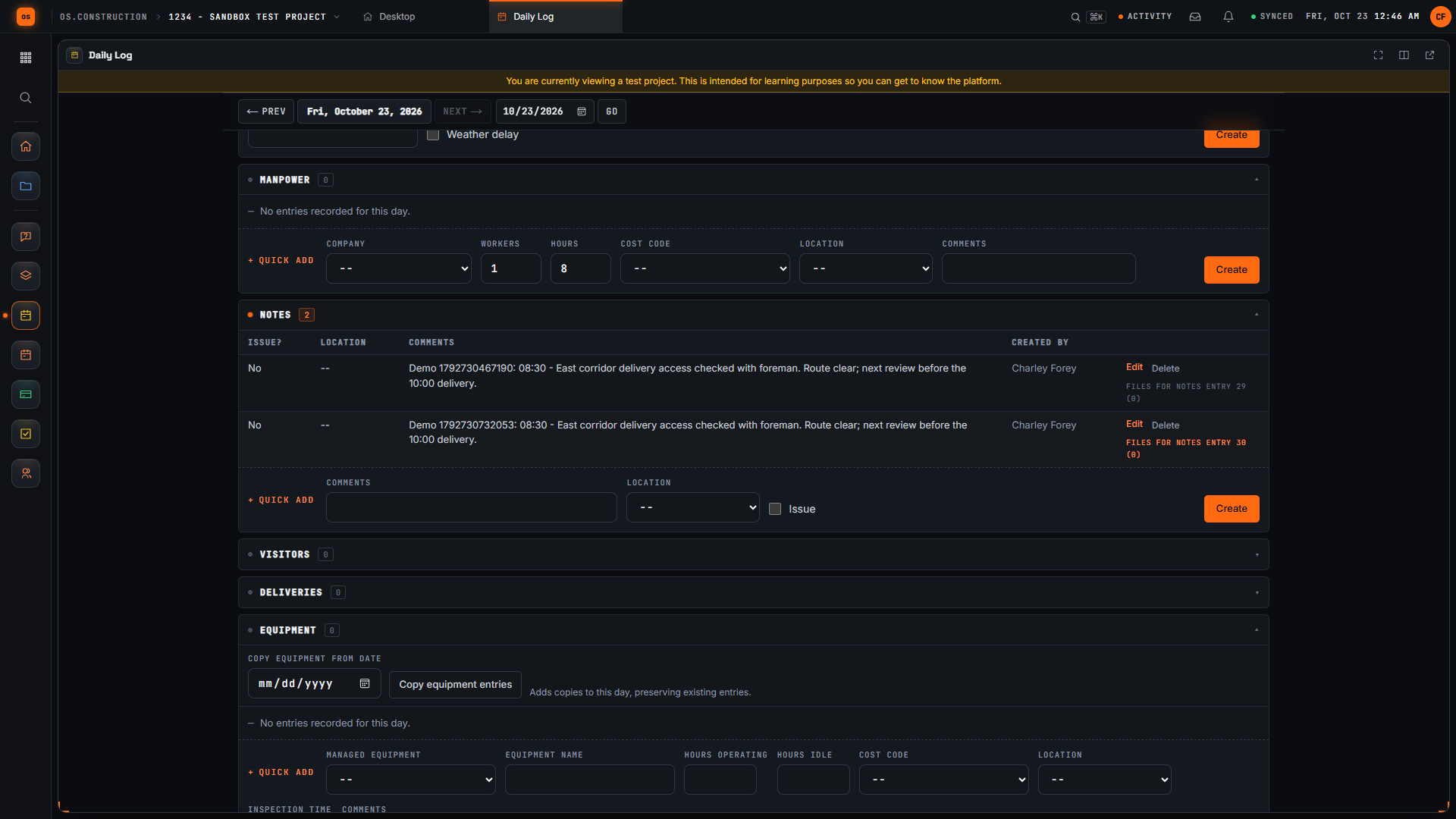
Scroll to Notes. This section has its own entry form. Keep an observation specific enough that another team member can understand the location, the time, and the next check without asking you to reconstruct the day.
Our invented example records an access check at the east corridor, the time, and a follow-up before the delivery. The unique demo reference distinguishes this sample note from other recordings. Replace the example with facts you actually observed on your project.
Select Create in the Notes form. Wait for the new row to appear, then read the saved comment. Checking the row confirms the submitted text reached the day's log instead of remaining only in the form.
Use Previous Day to leave this day's view. Each day has its own log. The Today link lets us return to the day where we created the note and check that the saved entry is still there.
Select Today to return to the day where we created the note. Check the displayed date, then return to Notes to find the saved observation.
Here is the same note in the Notes table after returning to the day. Read the time, location, observation, and next check. We have saved a specific field note and confirmed that another reader can find its context again.