Why one data core
PM, field, cost and CRM aren't four databases kept in sync. They're views of the same records, with the links between them stored. Pick a starting record and follow it.
Follow one record
Solid lines are links the app stores between records. Dashed lines are the shared parts of the core every record uses: the project, its cost codes, locations, and people and companies.
Pick a starting record to highlight what it links to.
Why the links matter more than the tools
In a typical stack, CO #14 lives in the PM tool where it was approved, in the accounting system where the budget and contract change, and in a spreadsheet someone keeps for billing. An integration is still a copy: sync jobs fail quietly, cost codes get mapped by hand, and month-end becomes the moment everyone makes the copies agree.
On one core there is one CO #14. The project manager sees it as a change with a scope, an approval status and a link back to its change event. The Budget tool sees it on a cost code. The prime contract sees a higher revised sum, and the next pay app bills against it. Nobody exports or re-keys it, because there's nothing to reconcile.
Copies and syncs
- Same fact typed in several places
- "See RFI-212" in a notes field
- Reports rebuilt at month-end
One core
- Each fact stored once
- The change event names RFI-212 as its origin
- Budget computed from the same commitments and change orders
CRM on the same core
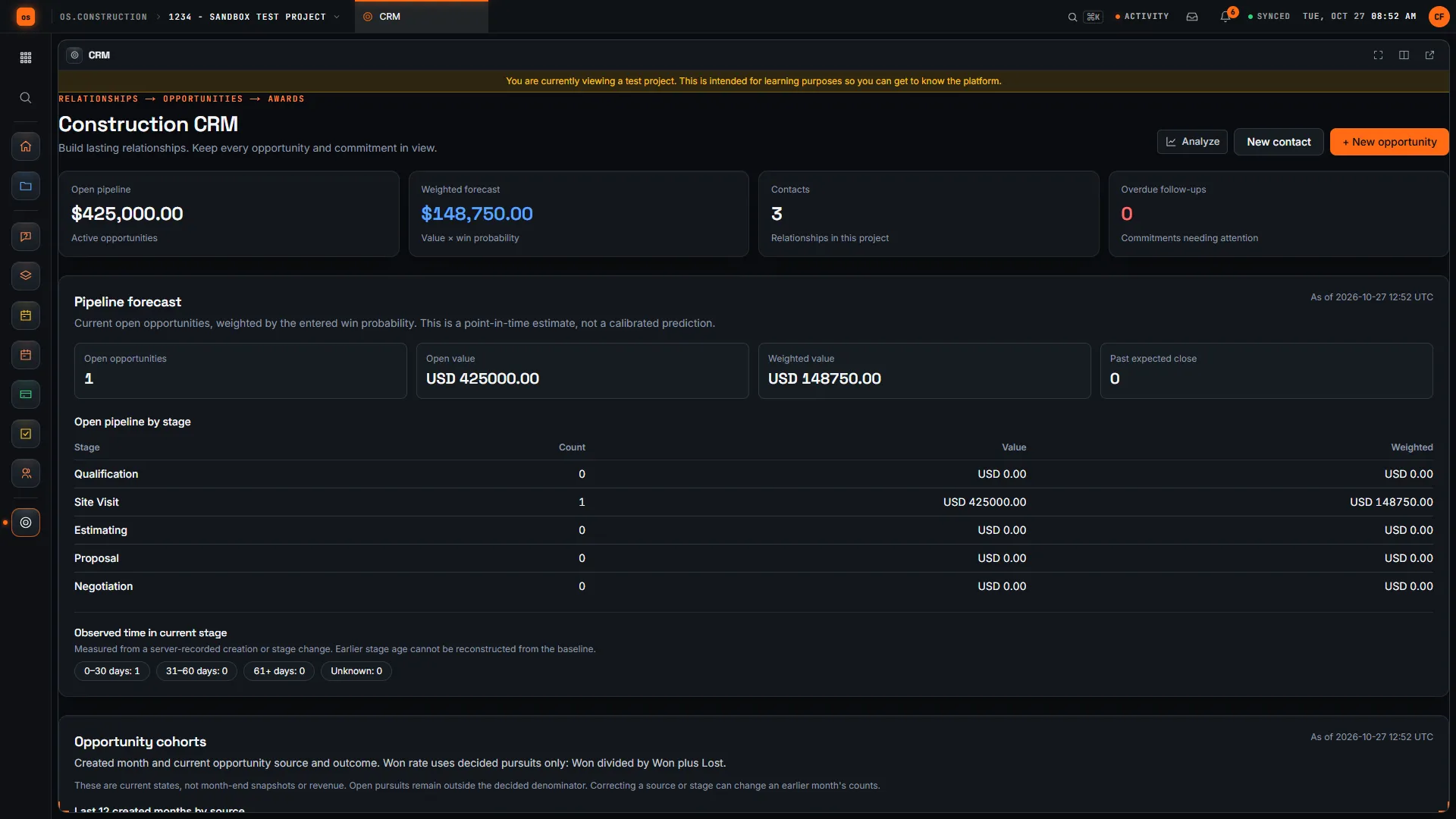
Contacts and opportunities start in company intake before a project exists. When the relationship is ready, they're attached to the project and follow its permissions; a company administrator can also review a Won opportunity to create a new project. The pipeline sits next to the job, not in a separate system.
What one core doesn't mean
It doesn't mean everyone sees everything: access is set per tool with permission templates, and every widget only shows numbers from tools you can see. And it doesn't lock your data in: you own it and can export it.
Company Accounting covers the ledger, AP, AR and payroll. A locked WIP schedule and AI agents remain unavailable; review and reconcile the project and company records.
Every link in the diagram
| From | To | How the link is made | Across |
|---|---|---|---|
| RFI | Task | Create task on the RFI; the task shows its source | PM → PM |
| Meeting topic | Task | Create task on a topic; the task keeps meeting and topic | PM → PM |
| RFI | Change event | The change event names the RFI as its origin; the RFI lists it | PM → Cost |
| Inspection item | Observation | Create Observation on a failed item | Field → Field |
| Observation | Punch item or RFI | Convert to Punch Item or Convert to RFI; both link back | Field → Field, PM |
| Change event | PCO / change order | Create PCO from Change Event copies its lines | Cost → Cost |
| Owner change order | Budget | Approved changes show in Approved Budget Changes | Cost → Cost |
| Commitment change | Budget | Moves Committed Costs and Pending Cost Changes | Cost → Cost |
| Executed change order | Pay app | Added to G702 line 2, net change by change orders | Cost → Cost |
| Awarded bid | Commitment | Creates a draft commitment with explicit cost codes | Bidding → Cost |
| CRM contact and opportunity | Project | Attached to a project, or a new project from a Won opportunity | CRM → core |
Keep going
Keep exploring
Related across os.construction
- DocsKey concepts: one data coreWhy os.construction keeps project records, project financials and reporting on a single record model, and what that changes day to day.
- BlogWhy construction needs an operating system, not another appMost contractors don't have a software problem. They have a seams problem: the same number lives in five systems and none of them agree. The fix is a shared record, not another tool.
- ExplainerChoosing what to put in the data core firstA migration plan for os.construction: which records go in first, what the import tool brings over today, and what is a file, a manual step or planned.
- DocsWhat is os.constructionProject management, project Financials and company Accounting, with reporting on shared records.
- BlogThe real cost of re-keying a change orderWe followed one change order from a ceiling cavity to the pay app and counted every time someone retyped the same facts. The typing is the cheap part.
- GlossaryERP (Enterprise Resource Planning)Software that runs a company's core business processes, like accounting, payroll, purchasing and job cost, on one database.
Sample project included
Try this workflow on the sample project
Every trial workspace includes a sample project with sample data, so you can follow these steps in the app before touching a live job.
Want this on live job data?
Project tools, change orders, budget, commitments, pay apps and CRM are live in os.construction (CRM and analytics in preview). Company Accounting covers the books; locked WIP and AI agents remain unavailable.
14-day free trial. Pricing for paid plans isn't set yet. Talk to us. Already have an account? Sign in →
All figures are illustrative sample data, not a real project. Contract terms and state law decide how retainage, stored materials and change orders work on your job. Check both.