Over billing vs under billing on a WIP schedule
One illustrative job worked through: cost-to-cost percent complete, earned revenue, and when the gap to billings is over or under billing.
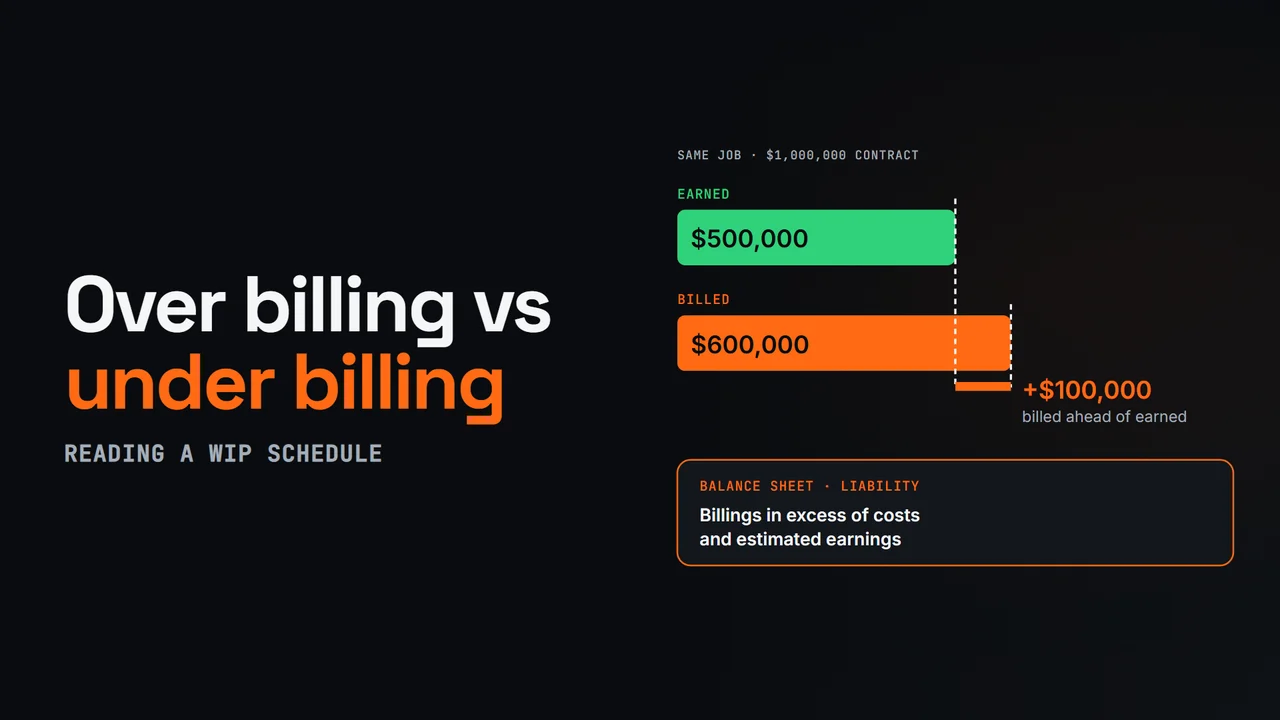
Diagram from this explainer
Chapters
- 0:00 Earned vs billed
- 0:13 Percent complete and earned revenue
- 0:36 Over billing
- 0:54 Under billing
- 1:10 Reading the trend
- 1:26 WIP from the posted record
Video transcript
A WIP schedule compares what you've earned on each job with what you've billed. The gap between those two numbers is over billing or under billing, and it's one of the first things a banker or surety reads.
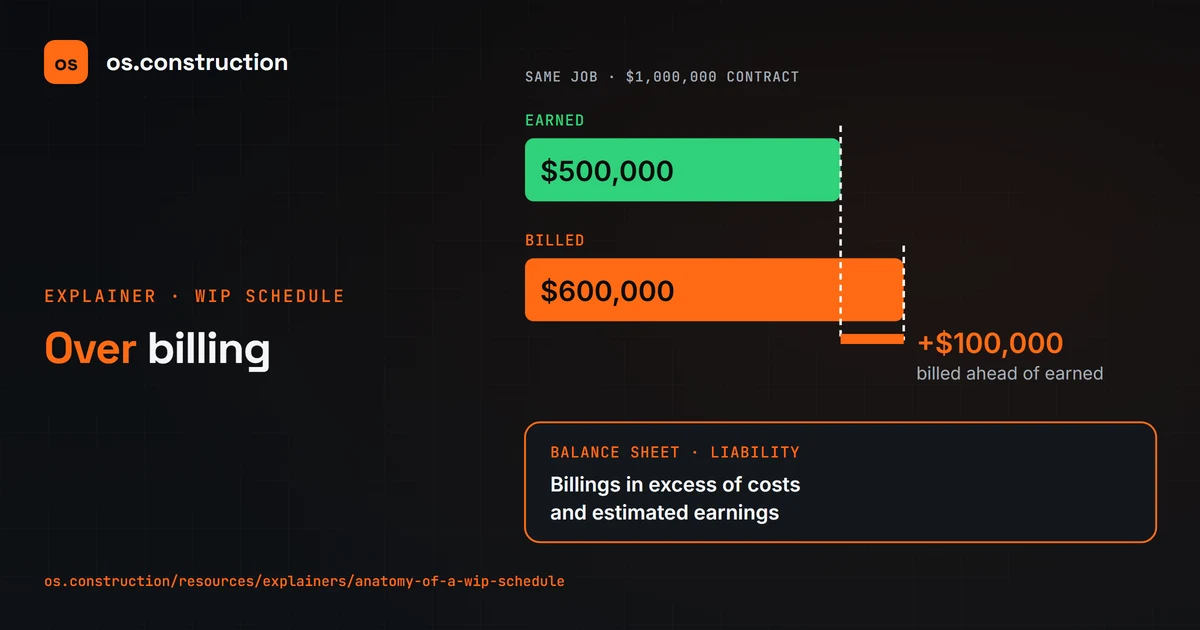
Start with percent complete. With the cost-to-cost method, it's cost to date divided by total estimated cost. Take an illustrative job: a one million dollar contract with eight hundred thousand dollars of estimated cost. You've spent four hundred thousand, so the job is fifty percent complete, and you've earned half the contract: five hundred thousand dollars.
Now look at billing. If you've billed six hundred thousand, you've billed one hundred thousand more than you've earned. That's over billing. It shows up as a liability, often called billings in excess of costs and estimated earnings, because you still owe the customer that work.
If you've billed only four hundred twenty thousand, you've earned eighty thousand more than you've billed. That's under billing. It's an asset, costs and estimated earnings in excess of billings: revenue you've earned but haven't invoiced yet.
Neither one is automatically good or bad. Some over billing can mean healthy cash flow. Under billing that keeps growing can mean you're slow to bill, or that costs are running ahead of the estimate and profit is fading. Watch the trend, job by job, month by month.
In os.construction, the WIP app computes each job's snapshot from posted job costs, the approved cost-to-complete forecast and billings, so you can review the evidence before you post it.
Your next step
See it on one project record.
Create an account and open the sample project to see contracts, costs, changes and billing on the same record.
Try it in the app