Critical path and float in 2 minutes
A forward and backward pass on a five-activity network: early and late dates, the critical path, and total float vs free float.
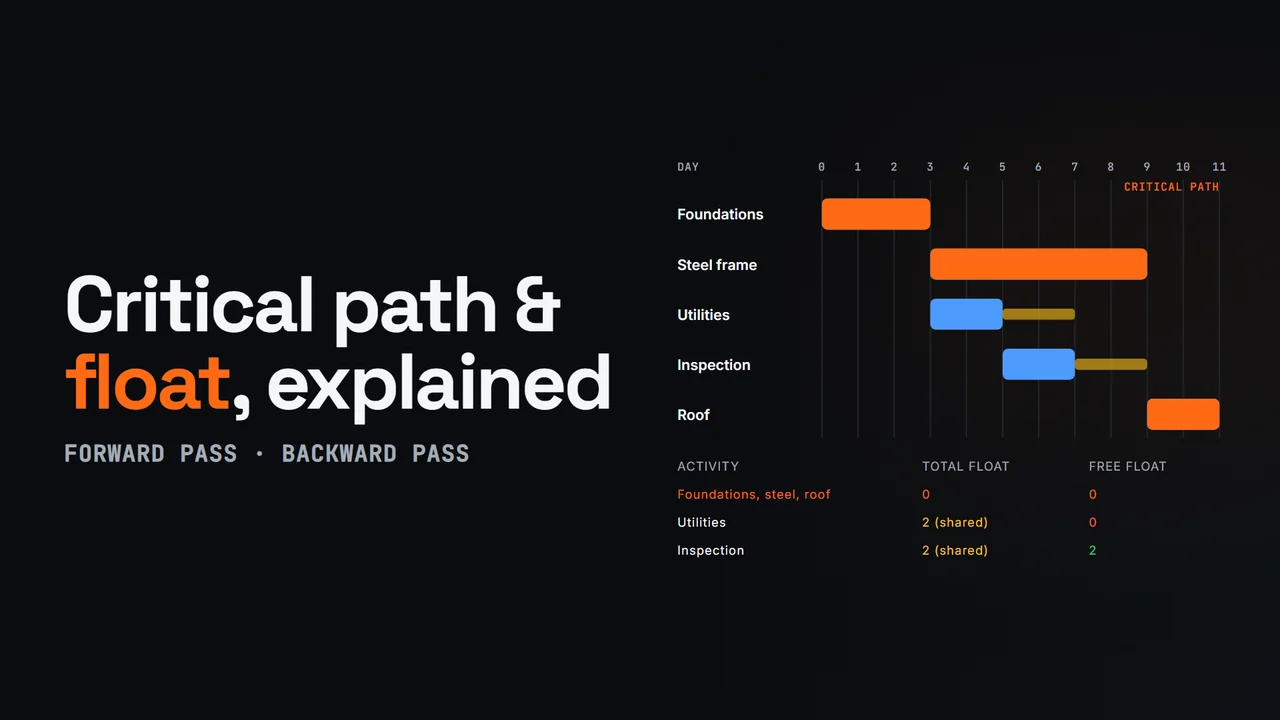
Diagram from this explainer
Chapters
- 0:00 What sets the finish date
- 0:16 An illustrative network
- 0:36 The forward pass
- 0:57 The backward pass
- 1:13 Total float and free float
- 1:33 Run it on your schedule
Video transcript
The critical path is the chain of activities that sets the finish date. Delay one of them, and the finish moves by the same amount. To find it you need three things: the activities, their durations, and the logic of what waits for what.
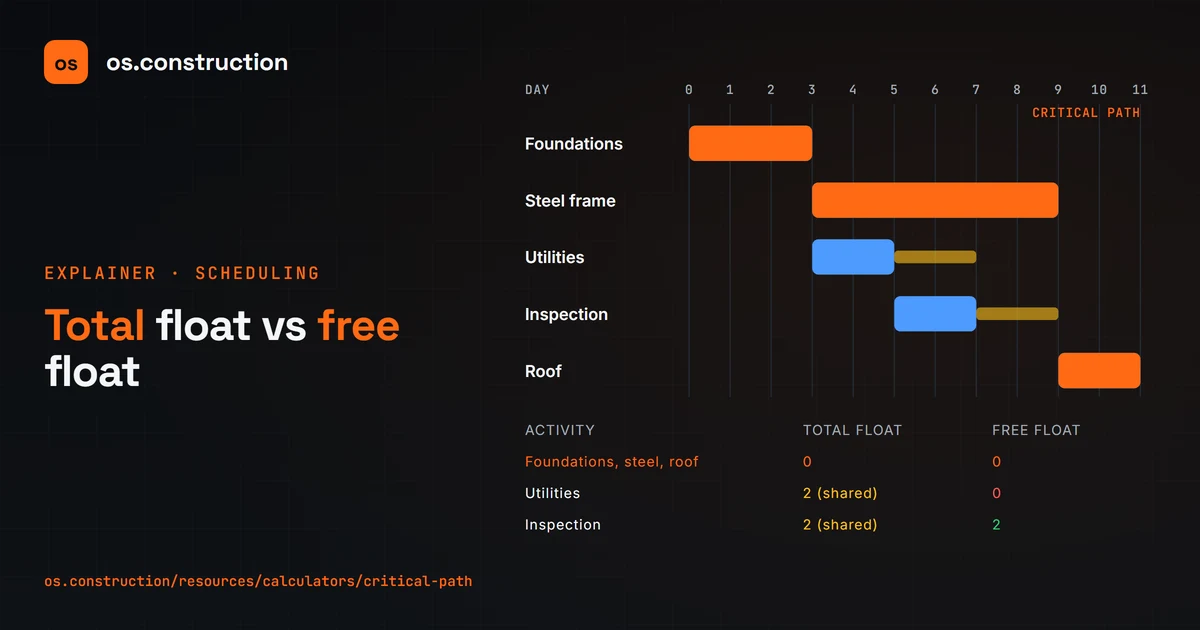
Take an illustrative five-activity job. Foundations take three days. Then two paths run side by side: steel frame, six days, and underground utilities, two days, followed by a two-day utility inspection. The roof takes two days, and it waits for both paths.
The forward pass finds the earliest dates. Each activity starts when its last predecessor finishes, and early finish is early start plus duration. Steel finishes at day nine. The utility inspection finishes at day seven. The roof waits for the later one, so it starts at nine and finishes at eleven. The job takes eleven days.
The backward pass works back from day eleven to find the latest dates. The roof must start by day nine, so the inspection must finish by nine and start by seven, and the utilities must start by day five. One calendar, no date constraints.
Total float is late start minus early start. Foundations, steel and the roof have zero, so they're the critical path. The utility work has two days of total float, but it's shared. The utilities have no free float, because any slip pushes the inspection. The inspection has two days of free float.
Try your own activities in the free critical path calculator, which writes out every step of the math. In the os.construction schedule, the Planner calculates total and free float for every activity, and the longest path.
Your next step
See it on one project record.
Create an account and open the sample project to see contracts, costs, changes and billing on the same record.
Try it in the app