Cost-to-cost percent complete: when it lies
How early material buys and a stale cost to complete distort cost-to-cost percent complete on one illustrative job, and the cross-checks that catch it.
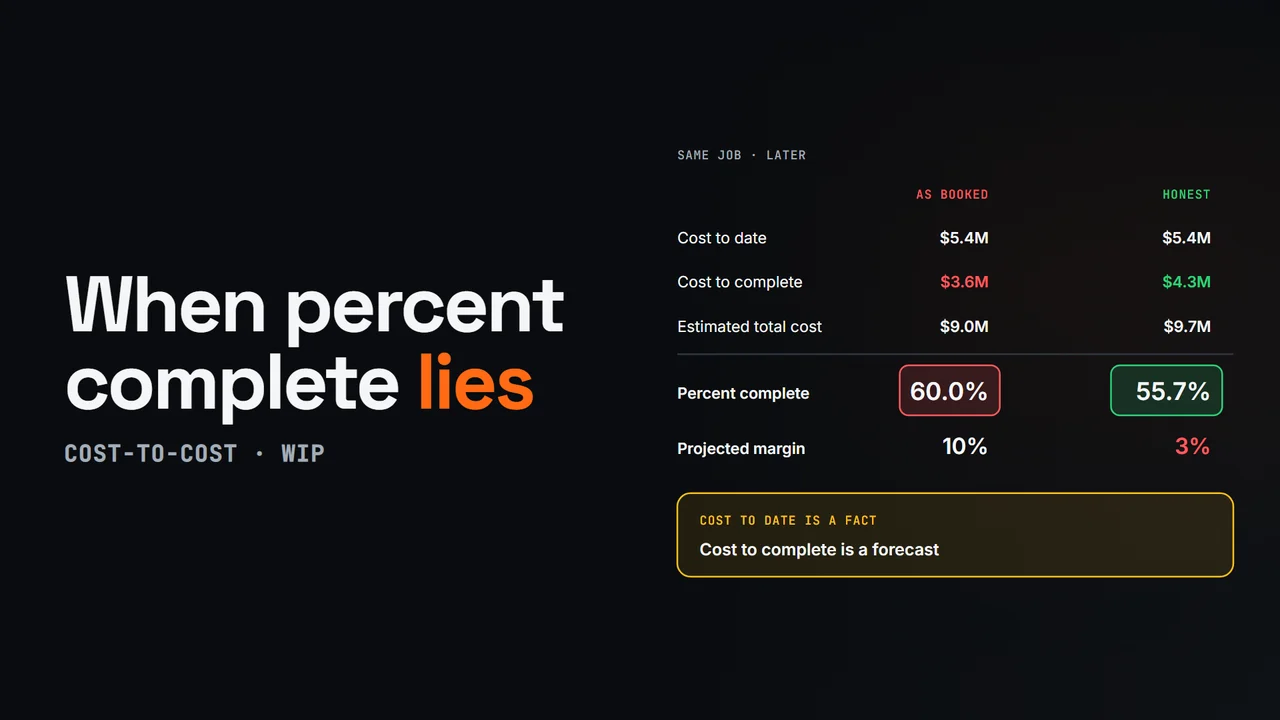
Diagram from this explainer
Chapters
- 0:00 One formula, one assumption
- 0:21 An illustrative job
- 0:37 Material bought, not installed
- 0:56 A stale cost to complete
- 1:16 Get a second opinion
- 1:37 Percent complete in os.construction
Video transcript
Most contractors measure percent complete with the cost-to-cost method: cost to date divided by estimated total cost. It's simple, and auditors know it. It also assumes every dollar spent is the same amount of progress. When that isn't true, earned revenue and over and under billing are wrong too.
Take an illustrative job: a ten million dollar contract with nine million dollars of estimated cost, a ten percent margin. With three point six million dollars spent, the job is forty percent complete, and you've earned four million dollars of revenue.
Now the mechanical sub buys six hundred thousand dollars of rooftop units early. The invoice posts, and cost to date jumps to four point two million. Percent complete jumps to about forty-seven percent, and about six hundred sixty-seven thousand dollars more revenue is recognized for equipment sitting in a warehouse.
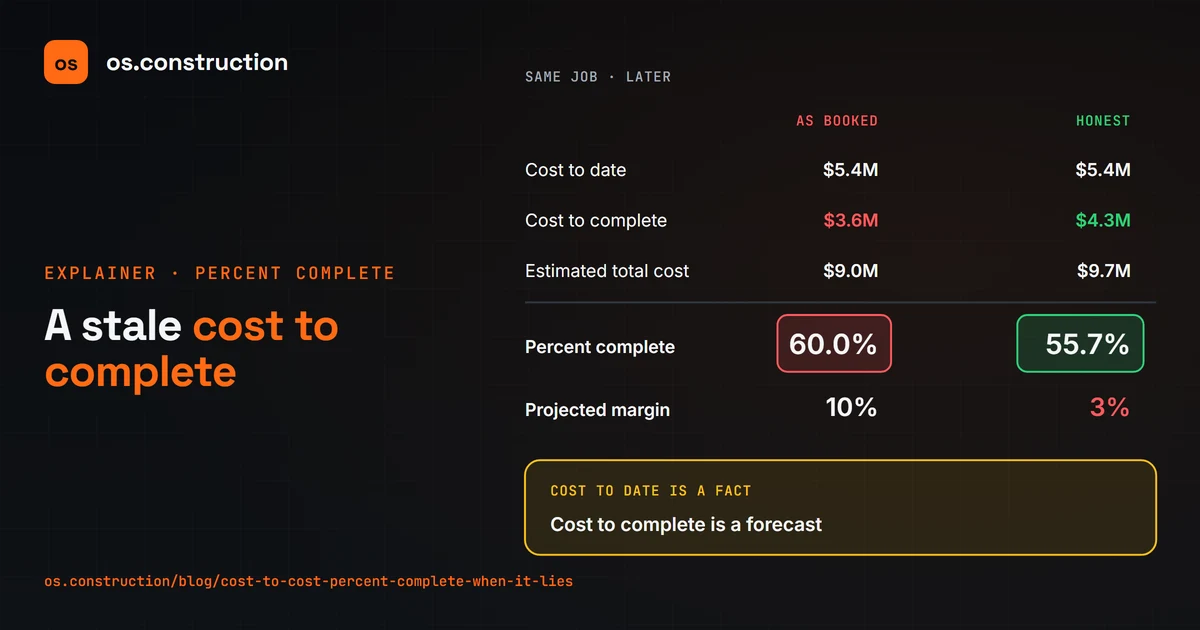
The bigger risk is the forecast. Later, five point four million is spent. If the cost to complete still says three point six million, the job looks sixty percent complete with a ten percent margin. An honest forecast of four point three million makes it about fifty-six percent, with a three percent margin.
Unaccrued costs, rework and miscoded invoices distort it too. The fix is a cross-check. Compare cost-to-cost with the field's physical percent complete and with billing, and ask why when they spread apart. Uninstalled materials can be tracked separately, and your accountant sets the policy for leaving them out.
In os.construction, the WIP app computes each job's snapshot from posted job costs, the approved cost-to-complete forecast and billings, so you can review the evidence before you post it.
Your next step
See it on one project record.
Create an account and open the sample project to see contracts, costs, changes and billing on the same record.
Try it in the app