Time and materials contracts explained: rates and NTE
How T&M billing rates, markups and not-to-exceed caps work, what a signed daily ticket needs, one illustrative invoice and how T&M compares.
Diagrams from this explainer
Chapters
- 0:00 Paying for time and materials
- 0:22 What's in the billing rate
- 0:42 The not-to-exceed cap
- 1:03 Daily signed tickets
- 1:25 One illustrative invoice
- 1:46 Watching the cap
- 2:01 T&M versus lump sum and cost-plus
- 2:30 T&M tickets in os.construction
Video transcript
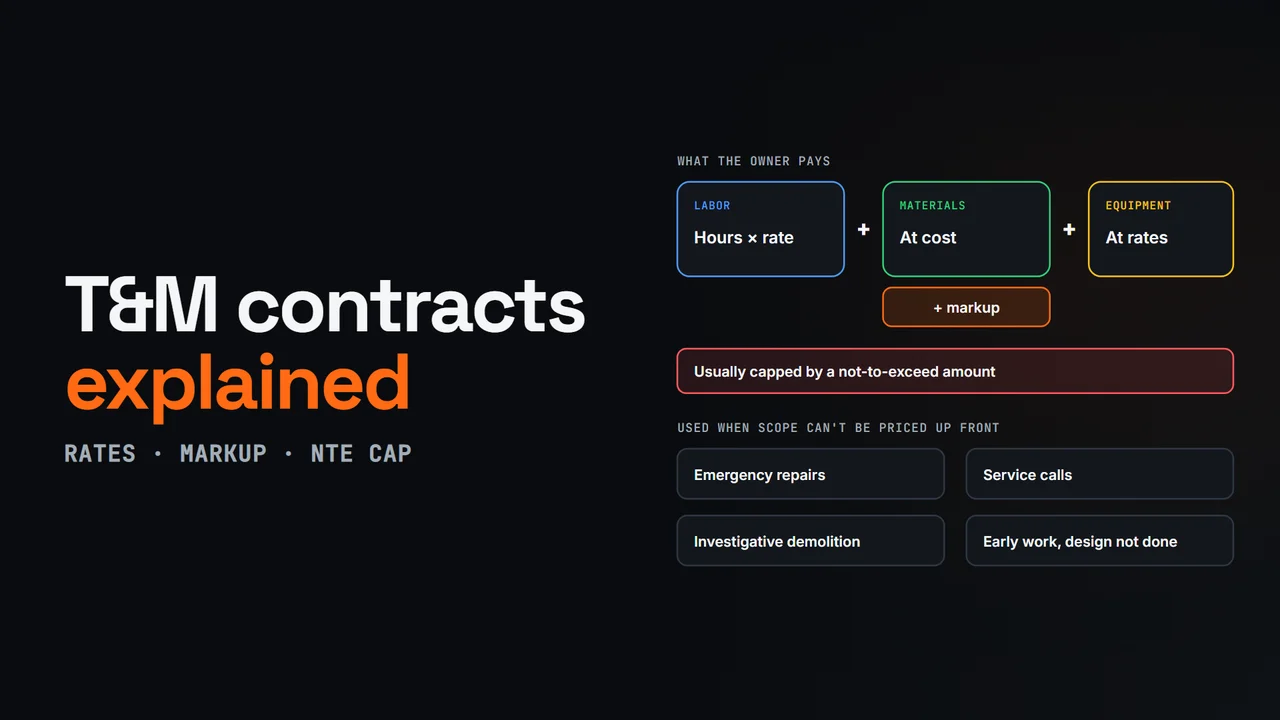
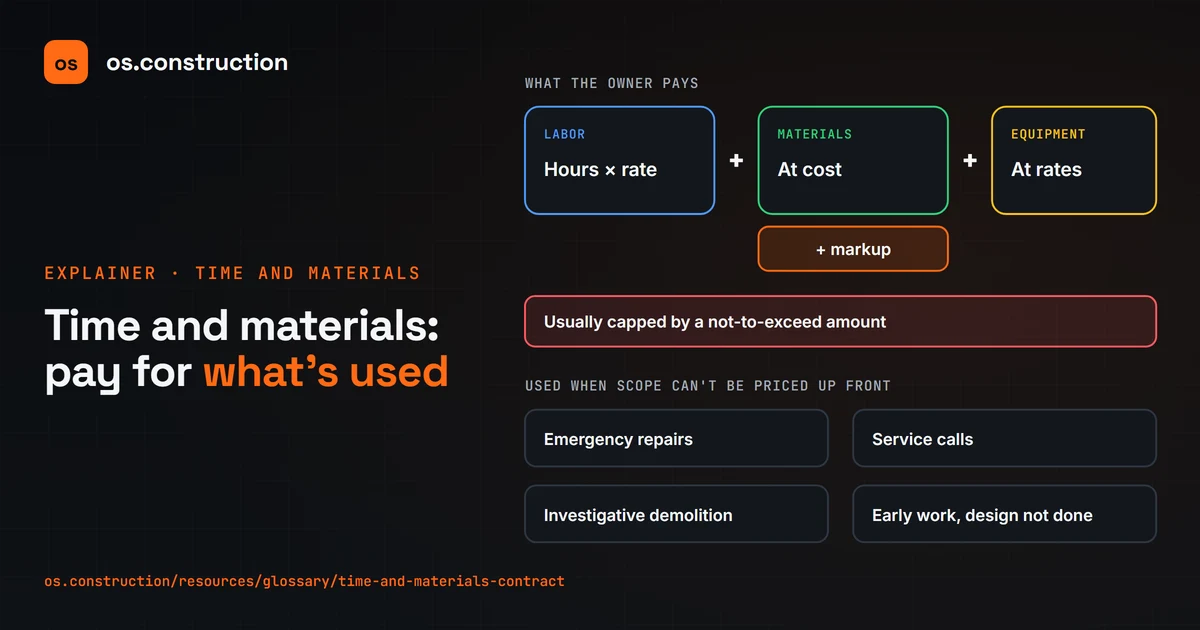
A time and materials contract pays the contractor for the hours actually worked, at agreed hourly billing rates, plus materials and equipment, usually with a markup. It's used when the scope can't be defined well enough to price a lump sum: emergency repairs, service calls, investigative demolition, or early work before the design is done.
The hourly billing rate is usually fully loaded. It covers the worker's wage, labor burden like payroll taxes and insurance, plus overhead and profit. The contract sets a rate for each labor class, like foreman, journeyman and apprentice, along with overtime multipliers, equipment rates and the material markup.
Owners usually cap the total with a not-to-exceed amount. The contractor bills actual hours and materials up to that figure, and must stop or get written approval before going past it. If the work costs less, the owner pays less. Many contracts also require notice when billing reaches a set share of the cap.
Because the owner carries the cost risk, T&M lives or dies on documentation. Each day's work goes on a ticket: the date, location and a clear description, the crew by name and labor class with regular and overtime hours, equipment hours, and materials with quantities. Someone with authority on the other side signs it the same day.
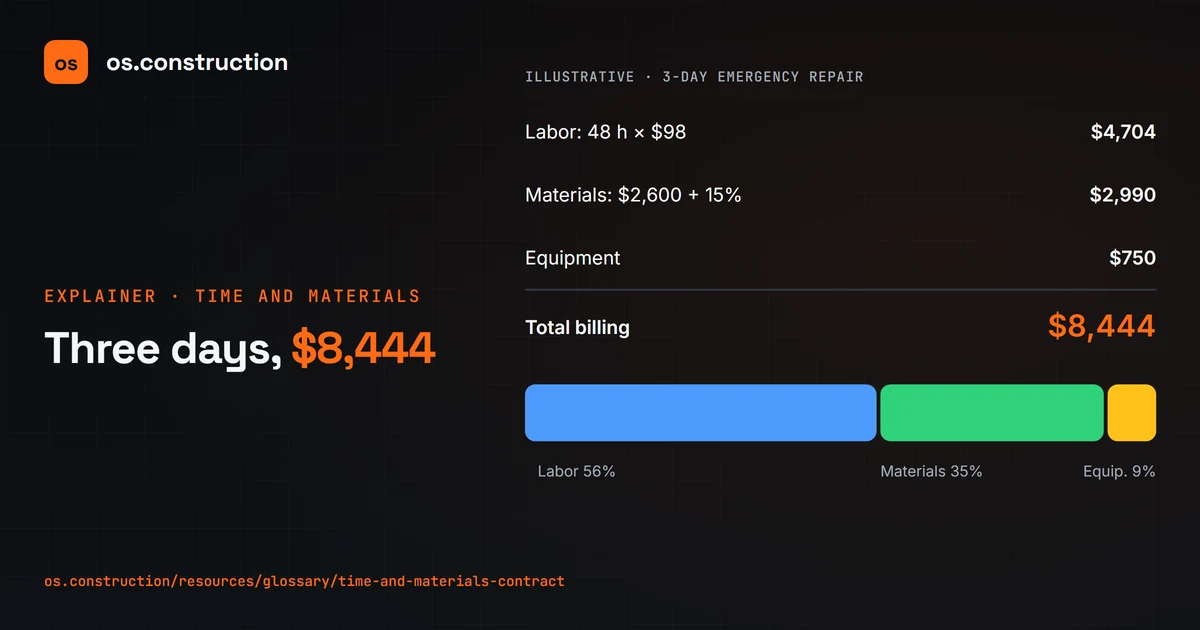
Here's an illustrative three-day emergency repair. Forty-eight journeyman hours at ninety-eight dollars an hour is four thousand seven hundred four dollars. Twenty-six hundred dollars of materials, marked up fifteen percent, is two thousand nine hundred ninety. Add seven hundred fifty dollars of equipment, and the total is eight thousand four hundred forty-four dollars.
Against a ten thousand dollar not-to-exceed, that's eighty-four percent of the cap. If the contract requires notice at eighty percent, the contractor should already have told the owner on day three. Work past the cap without written authorization may simply not be paid.
How does T&M compare? In a lump sum, the contractor carries the cost risk for a fixed price. In cost-plus, the owner reimburses actual cost and pays a separate fee. In T&M, profit sits inside the hourly rates and the markup, and the owner carries the cost risk up to the cap. On federal work, FAR Part sixteen allows T&M only when the work can't be estimated with reasonable confidence, and requires a ceiling price.
In os.construction, crews record T&M tickets the day the work happens, with labor, equipment and material lines on cost codes and a field sign-off name. Tickets go through review to approved. And a prime contract set to time and material billing can price the period's tickets, with markups and the cap, into a draft invoice. General information; your contract sets the rates.
Your next step
See it on one project record.
Create an account and open the sample project to see contracts, costs, changes and billing on the same record.
Try it in the app