Buyout savings to commitment change (full walkthrough)
Buyout savings math, an awarded $98,750 electrical bid converted to a subcontract, then a $4,250 commitment change order flowing to the budget.
Chapters
- 0:00 The question
- 0:25 What buyout is
- 1:13 Buyout savings, the math
- 2:01 In the app: snapshot, leveling and award
- 3:11 Award to subcontract
- 3:45 Buyout plan vs. the budget baseline
- 4:38 A change to the commitment
- 5:25 In the app: commitment change order
- 6:24 Who this helps
- 6:56 Five mistakes to avoid
- 7:25 Your buyout checklist
- 7:52 Try it yourself
Video transcript
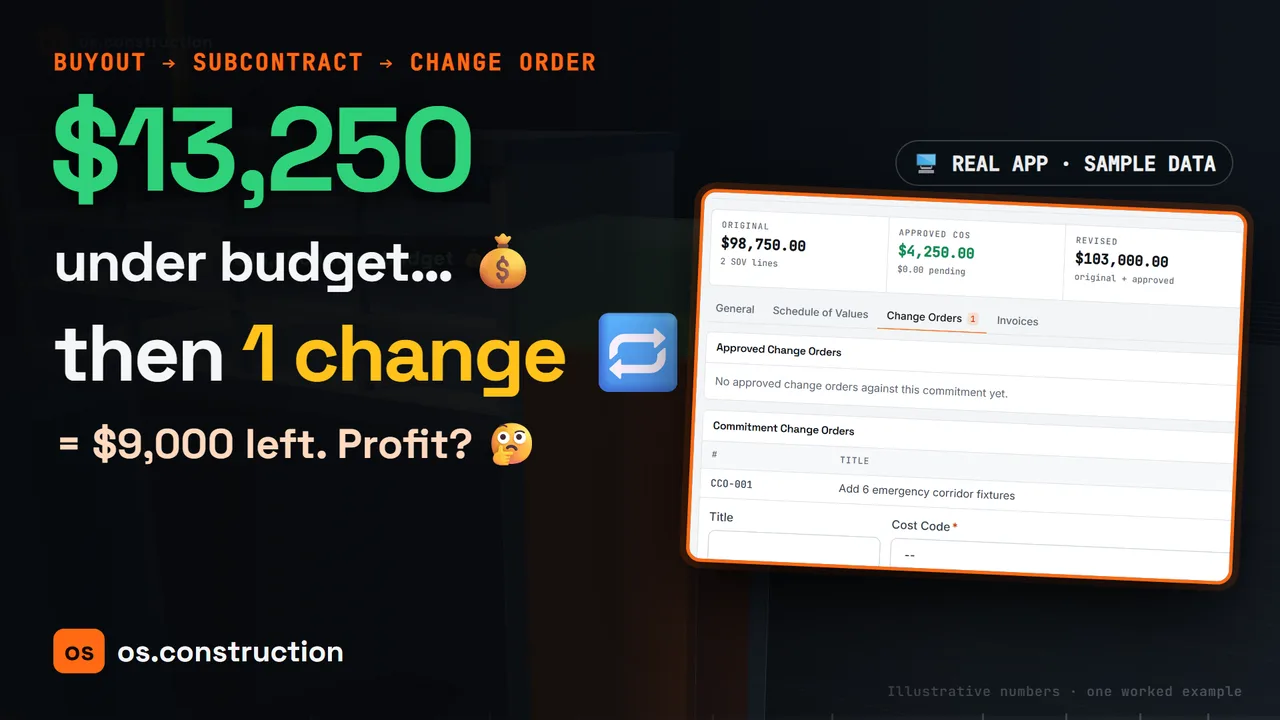
Your electrical subcontract just came in $13,250 under budget. Is that profit? Not yet. Watch what one change order does to it.
In the next few minutes, we'll follow one package from bids, to an awarded subcontract, to a change on that subcontract, and see exactly where each dollar lands on the budget. Then we'll do it for real in os.construction.
First, what is buyout? Your estimate carried a number for every trade. Buyout is the work of turning those numbers into signed subcontracts and purchase orders, one package at a time.
In our example, the estimate carried $112,000 for an electrical rough-in and fixtures package. That figure is illustrative, so we can do the math together.
Two bids come back. Bright Electric at ninety-eight thousand, seven hundred fifty dollars, and a second bidder at one hundred four thousand, two hundred dollars. The low bid is five thousand, four hundred fifty dollars below the next one.
Before anyone celebrates, you level the bids: same scope, same inclusions, same exclusions. A low number that leaves out work is not really a low number.
Buyout savings is simple arithmetic. The budgeted amount, minus the committed amount, minus anything the winning bid excluded that you will have to buy separately.
Here, one hundred twelve thousand dollars, minus ninety-eight thousand, seven hundred fifty, equals thirteen thousand, two hundred fifty dollars of gross buyout savings.
Now suppose leveling had found a $2,000 exclusion you must buy elsewhere. Net savings would drop to $11,250. In our example the leveled scope is complete, so we keep $13,250.
And savings are not profit yet. Many contractors hold them in contingency until the trade is well along. On a GMP job, the contract decides who keeps them.
Let's do it in the actual app. This is os.construction on a sample project with sample data. We'll follow the Electrical Rough-In and Fixtures bid package from start to finish.
Step one comes first for a reason. In the Budget tool, we capture a snapshot. The buyout plan compares the award against a frozen baseline, and that baseline has to exist before the award becomes a commitment.
Step two, the bid package. Across the top, the app tracks the package from registered bidders to award and commitment. Two bids are in, with a $5,450 spread.
On the Bid Leveling tab, the bids sit side by side, line by line. Panel boards and feeders at $40,000, plus light fixtures at $58,750, makes Bright Electric's $98,750 total.
Step three, Review award. The app spells out what awarding does: it selects this bid and marks the package awarded. It does not create a commitment. We confirm we reviewed the bid, and award it.
Here is the chain we are building. Bid, award, commitment. Each record carries the one before it, so nobody retypes numbers in between.
Step four, Review commitment. We choose Subcontract. Every line needs a cost code, and the line total must match the bid amount. We confirm, and the app creates a draft commitment from the priced bid lines.
The package now shows the award to commitment receipt, with a fingerprint of the exact quote and cost codes at conversion. Later edits to the bid don't change it.
Step five, the buyout plan. We pick the snapshot we captured, and the app lays the award beside the frozen budget for that cost code.
The preview shows the revised budget, what was already committed, the headroom left, and the award. The variance column compares our allocation with the awarded quote. We approve, and the plan records this exact receipt, baseline, and allocation.
Step six. A commitment created from a bid starts as a draft, and the budget's committed costs only count approved or completed subcontracts. So the electrical line still shows zero committed. We set the subcontract to Approved.
Back on the budget, committed costs for 26-000 Electrical now read $98,750. The award is on the books, straight from the bid.
Three weeks later, the owner adds six emergency light fixtures in the corridor. The electrician will do the work, so their subcontract has to change too.
The sub prices it at $4,250. $98,750 plus $4,250 makes a revised commitment of $103,000.
And our savings? $112,000 minus $103,000 leaves $9,000. That's why savings belong in contingency, not in profit, until the risk has passed.
Here's the classic failure. The change gets approved by email, the sub does the work, but the subcontract never changes. Then their next invoice exceeds the commitment, and nobody can say why.
In the app, we open the subcontract's Change Orders tab. Under Commitment Change Orders, we enter a title, the electrical cost code, and four thousand, two hundred fifty dollars, then create it.
It saves as a draft. Drafts don't reach committed costs on the budget. That's deliberate: a number nobody has approved should not move your forecast.
Now we approve it. Approved change orders show four thousand, two hundred fifty dollars, and the revised contract amount reads $103,000.
On the budget, committed costs for electrical went from $98,750 to $103,000. Same record, no re-entry, and the change is traceable back to its commitment.
So here's the whole chain: bid, award, commitment, commitment change, and budget. From here, the sub's invoices are entered against that commitment, so billing gets compared with the revised amount, not the original.
Picture a general contractor's project manager on a Monday morning. Instead of retyping a bid into a subcontract, they convert the award, and the lines, codes, and total carry over. This is an illustrative scenario, not a measured result.
Now picture a project accountant at month-end. The electrician bills for the added fixtures. Because the change order is already approved on the subcontract, the billing sits inside a $103,000 commitment instead of starting an argument.
Five mistakes to avoid. One: booking savings before you level out exclusions. Two: sending savings straight to profit.
Three: retyping the subcontract instead of converting the award. Four: quietly lowering the budget line instead of recording a budget modification.
And five: approving a change without issuing the commitment change order, or leaving it in draft, where it never reaches committed costs.
Here's your checklist. Capture a budget snapshot. Level the bids and price any exclusions. Award the reviewed bid.
Convert the award to a commitment, with a cost code on every line. Approve the buyout plan against your snapshot, and log savings line by line.
For every scope change, create a commitment change order and approve it. Then check committed costs on the budget.
Try it yourself. The subcontracts and commitment changes guide, the buyout savings glossary entry, and a printable checklist are all at os.construction. The links are in the description.
$13,250 under budget became $9,000 after one change. When every step lives on one record, that number never surprises you.
Your next step
Try it on the sample project.
Create an account, open the sample project and run this workflow yourself with sample data.
Try it in the app- Next · Construction concepts explainedStop payment notices explained (California)Watch the next explainer
- DocsSubcontracts and commitment changesHow subcontracts and purchase orders are structured, how commitment change orders follow owner changes, and how sub invoices, retainage and compliance are checked against the commitment.
- Video libraryMore in Cost & accountingEvery walkthrough, grouped by workflow.