The Red Number Disappeared. The Finish Did Not Move.
Distinguish a changed float calculation from an actual improvement in forecast completion.
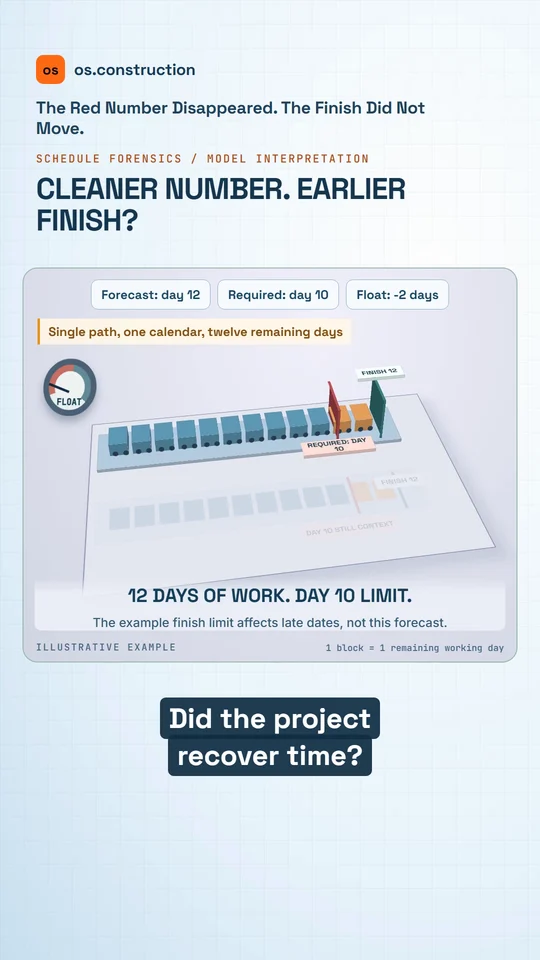
An animated teaching example with AI narration. The illustrations explain the process; they are not a recording of the app.
Video transcript
Negative float disappeared. Did the project recover time? Check the finish date before celebrating.
In this simple example, the remaining path needs twelve working days, but a finish-on-or-before limit allows ten. That gap can produce minus two days of float.
Now remove that limit in a test copy. Float becomes zero, but the forecast still finishes on day twelve.
No work got shorter. No time was recovered. Keep the original requirement visible and compare forecast dates, not just the red number.
Negative float flags a modeled conflict; it does not assign blame. Explore the constraints guide at os dot construction.
Your next step
See it on one project record.
Explore the written guide, then open the sample project to see how construction records connect.
Try it in the app- Next · Getting startedFind your way around os.constructionVideo coming soon. Read: Find your way around: dock, launcher, Spotlight and windows
- ExplainerSchedule constraints: explain the date before changing the logicThe full written guide, with worked examples and sources.
- Video libraryMore in Construction lessons in a minuteEvery video, grouped by topic.