Goal: Write one clear RFI, open it, and know who has to act next at every stage.
An RFI is a formal question about the contract documents. A good one names the element and the location, cites the sheet and spec section, and proposes an answer the designer can accept.
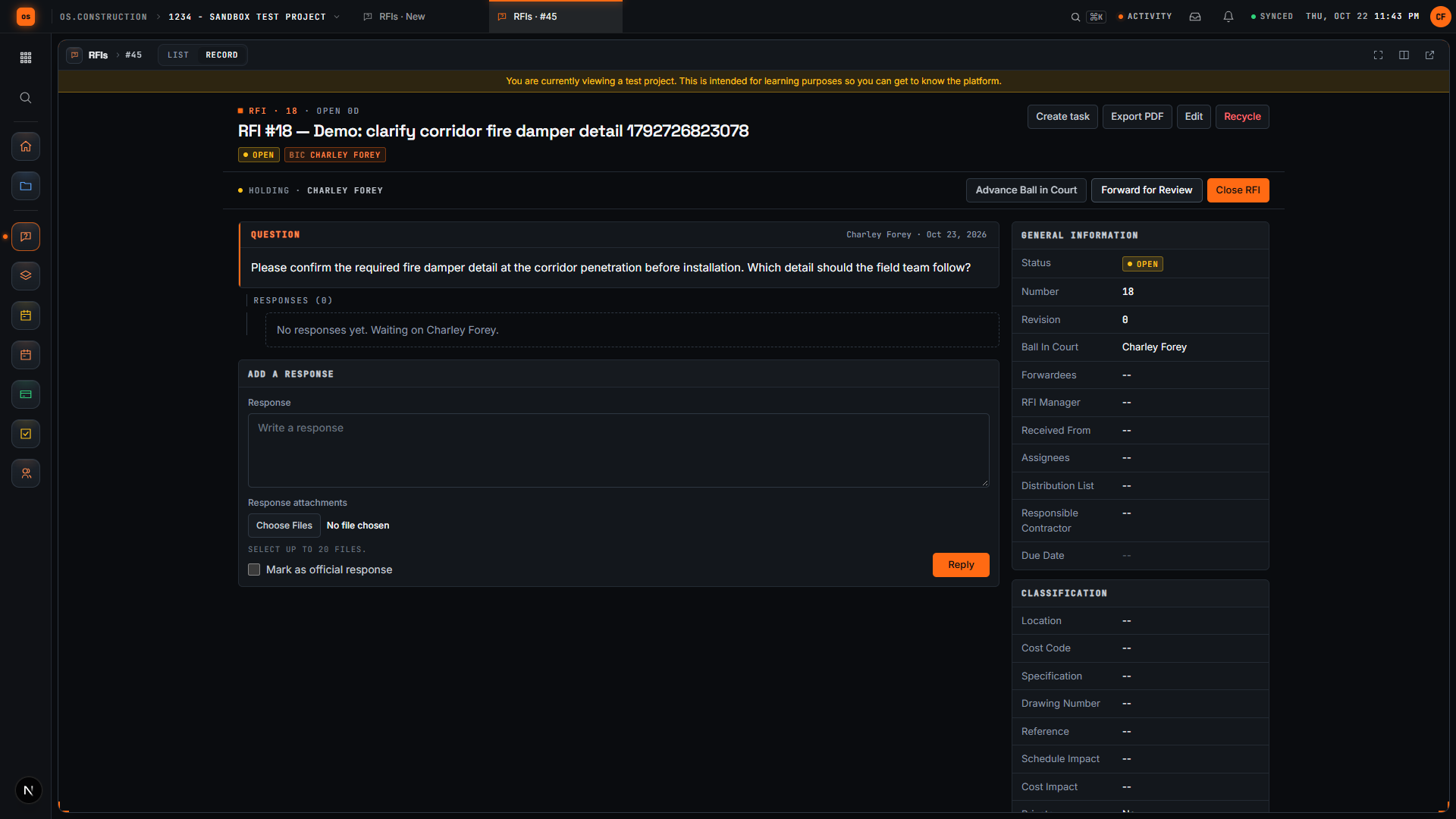
In the app each RFI has an RFI manager, assignees who owe the answer and a distribution list. Ball in court is worked out from the RFI’s state, so the log always shows who is holding it up.
DraftBall in court: the creator
Open, no responseBall in court: the assignees
Response addedBall in court: the RFI manager↺ Passed back: back to “Open, no response”
Official responseMarked on the answer that settles it
ClosedClosed date recorded
Who has the ball on an RFIText version
Draft: Ball in court: the creator
Open, no response: Ball in court: the assignees
Response added: Ball in court: the RFI manager
Official response: Marked on the answer that settles it
Closed: Closed date recorded
Passed back: from “Response added” back to “Open, no response”.
Hands-on · about 10 minutes · sample project
Exercise
Open RFIs and then RFI-212. Read the question, the ball in court and the change event linked to it.
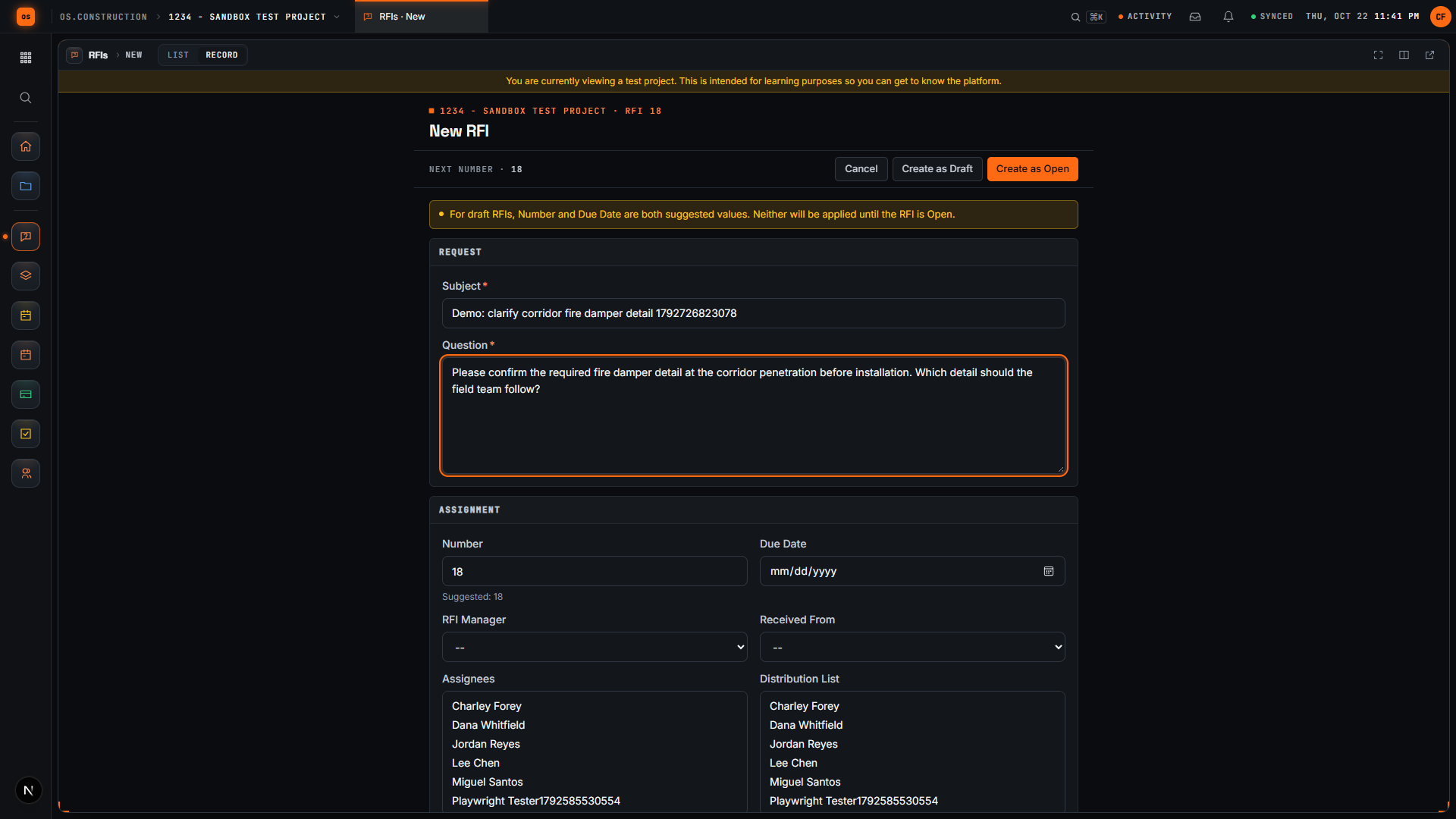
Click Create. Write a subject that names the element and the location, and a question that asks for one specific answer.
Set yourself as RFI manager, pick an assignee from the sample team, and set a due date.
Click Create as Draft. Check the saved question on the detail page.
Click Open RFI and confirm the status changed to Open and the ball in court moved to the assignee.
Here we are in the actual os.construction app, using a local sample project. On the New RFI page, we can prepare a question and save it as a draft before opening it.
Use a subject that tells the reviewer what needs clarification. In this example, we are asking about the corridor fire damper detail. The demo adds a unique reference so each recording creates a separate sample record.
State the decision the team needs. Our question asks the reviewer to confirm the required fire damper detail before installation and identify which detail the field team should follow.
Select Create as Draft. The app saves the RFI and opens its detail page. We will check that the Open RFI action is available before moving forward.
The saved record now has its own detail page. Review the subject and question here. A draft gives the team a chance to check the request before opening it.
Select Open RFI. Wait for the Open RFI action to disappear after the update. Close RFI remains available. We have written a request, saved it as a draft, reviewed it, and moved it into the open workflow.