T&M tickets: from the field to a priced change
Extra work that isn't written down the same day is hard to get paid for. Follow one ticket for extra fire-stopping on Riverside's level 3, from the field to a priced change, including the one step the app doesn't do for you.
One step is yours
A T&M ticket doesn't create or link to a change event in the app today. You carry it across: create the change event yourself and attach the approved ticket as backup. From the change event on, the links are stored.
- 01T&M ticketDraft → Submitted → Approved
- 02Change eventYou create it; same cost codesManual step
- 03PCOCreate PCO from Change Event
- 04Change orderApproved and executed
- 05Pay appExecuted COs added
Stored links from here onNo link: you create it and attach the ticket
Ticket to change order
01 Write the ticket the same day
In T&M Tickets (under Financials), a ticket needs a title and a work date. Each line is Labor, Equipment or Material with a description, quantity, unit, unit cost and cost code; the amount is quantity × unit cost and the ticket total is the sum. It starts as a Draft. Attachments are added as a name and a link, for example to photos stored elsewhere.
| Type | Description | Qty | Unit cost | Amount |
|---|---|---|---|---|
| Labor | Pipefitter, 2 × 8 h | 16 h | $92 | $1,472 |
| Labor | Foreman | 8 h | $108 | $864 |
| Equipment | Scissor lift, 1 day | 1 day | $310 | $310 |
| Material | Firestop sealant | 12 tube | $38 | $456 |
| Ticket total | $3,102 | |||
02 Submit with the signer's name, then review
Submit records the field signer's name in Signed By: a typed name, not a drawn signature. An admin then Approves or Rejects it; a rejected ticket can be submitted again. Changing line items clears the approval and signature and sends it back to Draft, so an approved ticket is the one that was signed.
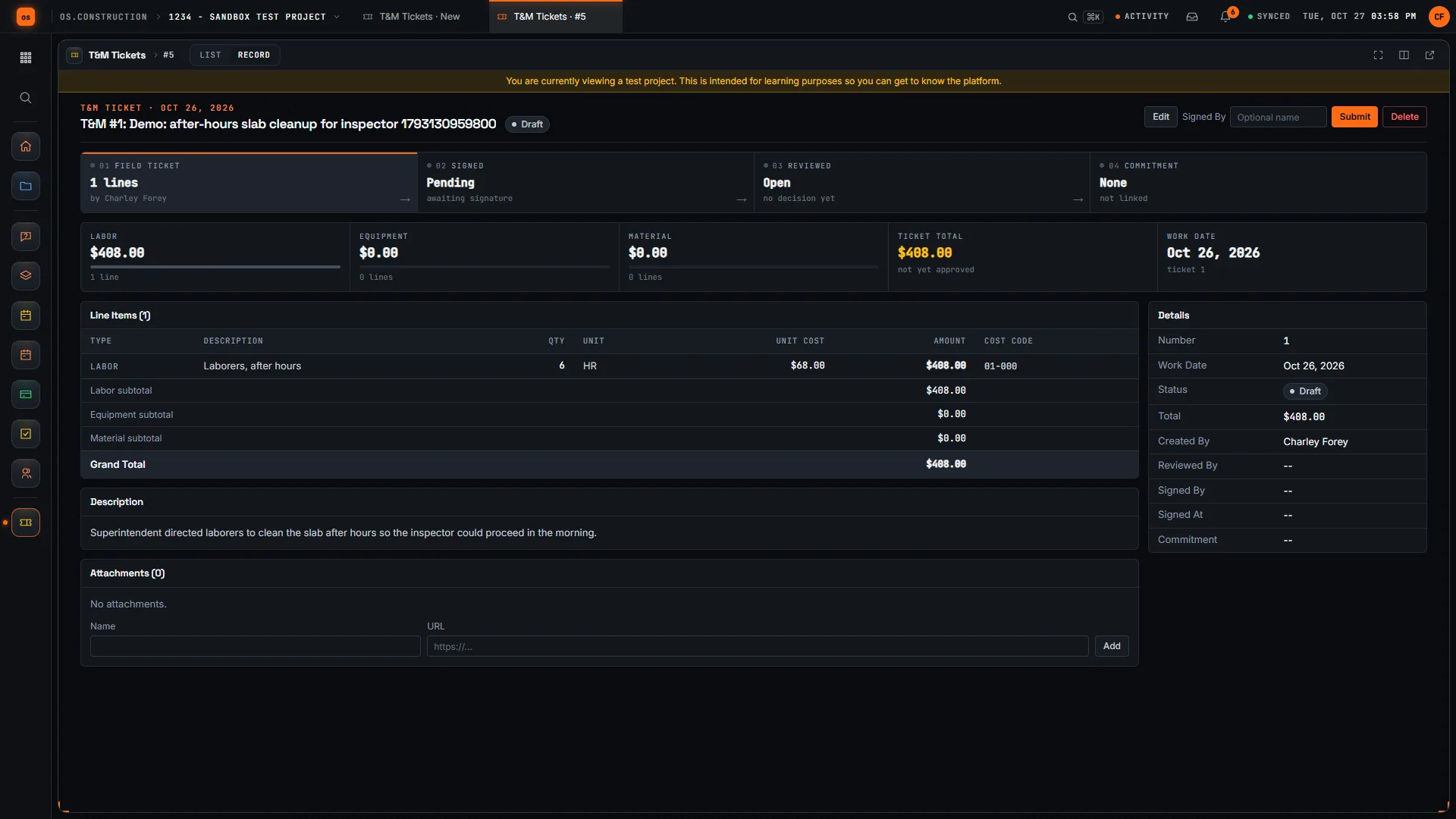
03 Create the change event yourself
This is the manual step. Open a change event, add lines on the same cost codes as the ticket, and attach the approved ticket (or its link) as backup. If the ticket came from an RFI, name the RFI as the change event's origin, so the question and the cost stay connected.
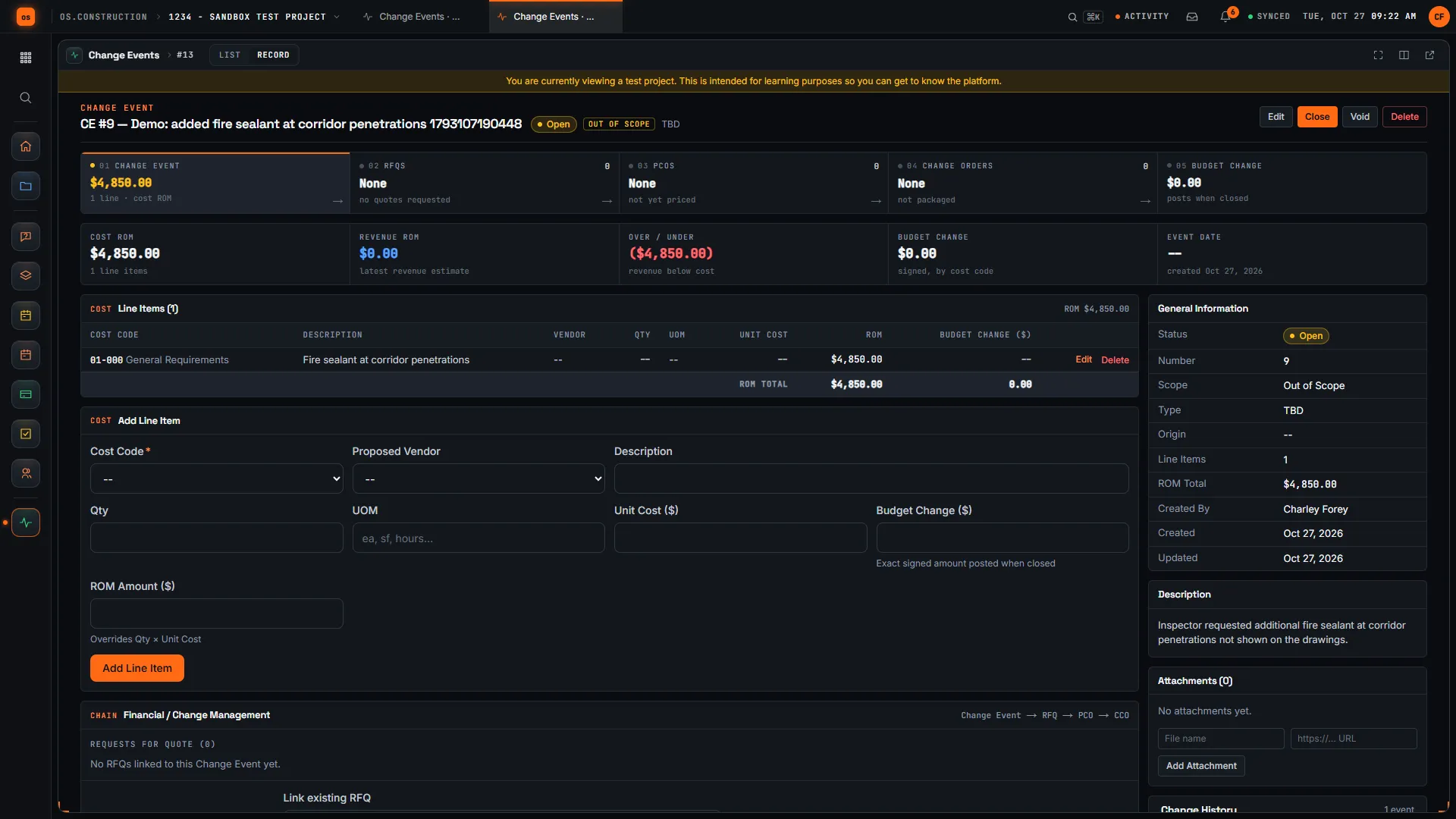
04 Price it, with markup, on the PCO
Tickets have no markup: lines are quantity × unit cost. Markup belongs on the change, per your contract. Create PCO from Change Event copies the lines, and from there it follows the normal path to an approved, executed change order and the next pay app.
$3,102 of tickets, $3,567 of change
The ticket total is cost. The priced change adds markup at the rate your contract allows. Illustrative sample data and markup rate; check your contract, and try the change order markup calculator.
Keep going
Keep exploring
Related across os.construction
- GlossaryConstruction Change Directive (CCD)A written order from the owner directing a change in the work before owner and contractor agree on price or time.
- GlossaryChange EventAny occurrence on a project that might change cost, scope or schedule, logged before anyone knows whether it will become a change order.
- PlatformRole guide: Subcontractor project managerA sub PM’s week in os.construction.
- Free toolT&M ticket templateFree time and material ticket template.
- Free toolChange order markup calculatorPrice a change order with labor burden, overhead and profit markups.
- DocsT&M tickets: record extra work in the fieldRecord time-and-material work the day it happens. Labor, equipment and material lines with cost codes, a field sign-off name, and review to Approved.
Sample project included
Try this workflow on the sample project
Every trial workspace includes a sample project with sample data, so you can follow these steps in the app before touching a live job.
Want this on live job data?
T&M tickets, change events and change orders are live in os.construction. Tickets don't link to change events automatically, and there's no drawn signature or PDF export today.
14-day free trial. Pricing for paid plans isn't set yet. Talk to us. Already have an account? Sign in →
All figures are illustrative sample data, not a real project. Contract terms and state law decide how retainage, stored materials and change orders work on your job. Check both.