Daily reports that hold up: weather, manpower, notes
A daily log gets read twice: tomorrow by the PM, and a year from now by someone arguing about a delay claim. Three sections carry most of that weight. Here's how to fill them so the second reader believes them.
Three of them carry the claim
Every day has its own log with sixteen sections. Weather, manpower and notes are the ones a scheduler, an owner's rep or an attorney reads first: what the conditions were, who was on site, and what happened. Six sections go into the PDF export.
- WeatherPDF
- ManpowerPDF
- NotesPDF
- VisitorsPDF
- DeliveriesPDF
- EquipmentPDF
- Phone Calls
- Delays
- Quantities
- Productivity
- Safety Violations
- Accidents
- Waste
- Dumpster
- Scheduled Work
- Plan Revisions
The three this page coversPDF In the daily PDF export
Write it for the second reader
01 Weather: what you saw, and whether it stopped work
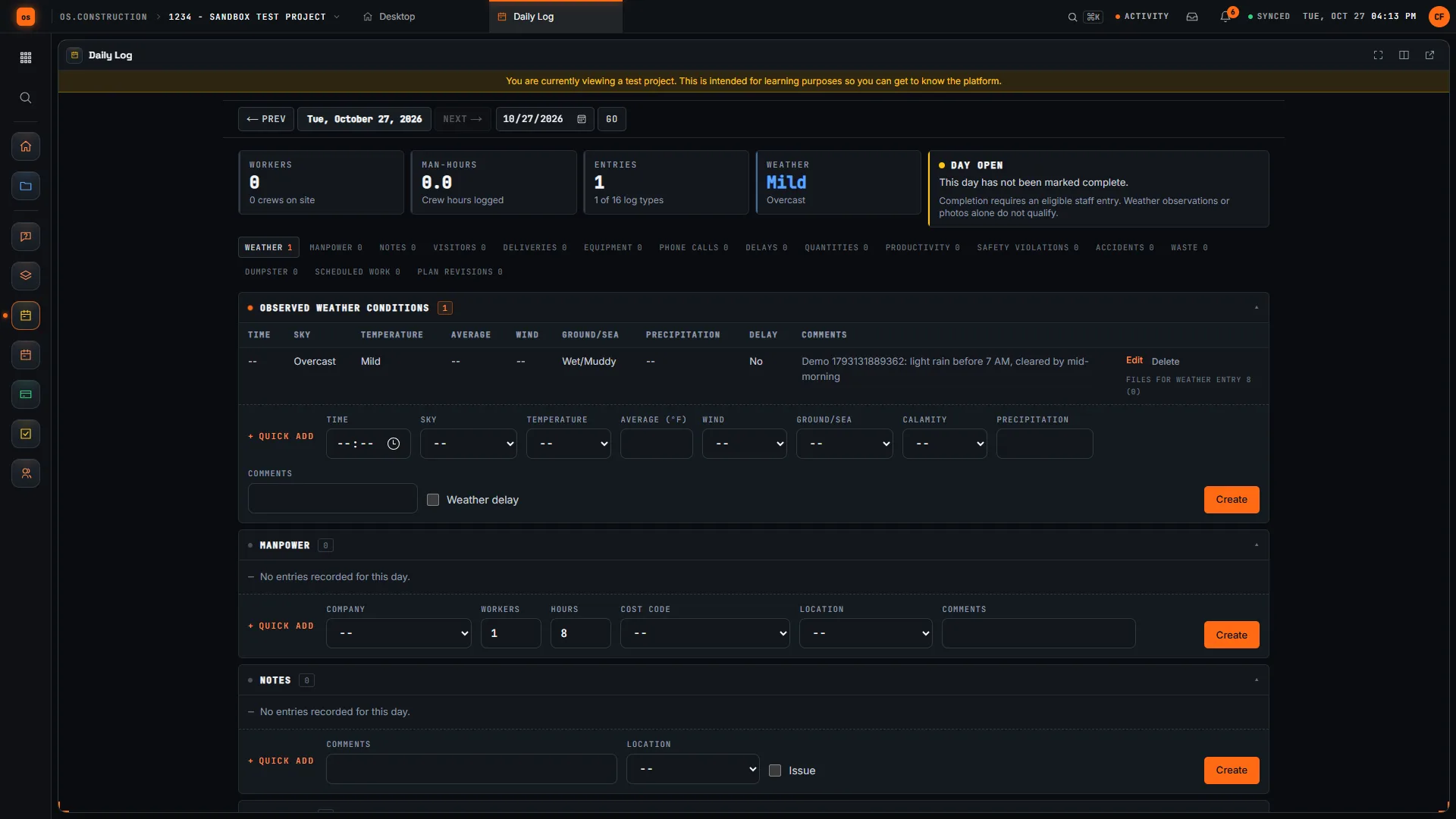
Record the time you observed it, then the sky, temperature, wind and ground from fixed lists (Overcast, Mild, Wet/Muddy), so a year of logs can be counted rather than read. Add precipitation and a comment in your own words: "light rain before 7 AM, cleared by mid-morning". The Weather delay box is the one that matters for a time extension; tick it and the day's Weather tile says so. You enter the weather yourself: the app doesn't pull it from a weather service, so write it down from the site, not from memory.
02 Manpower: every company, every day
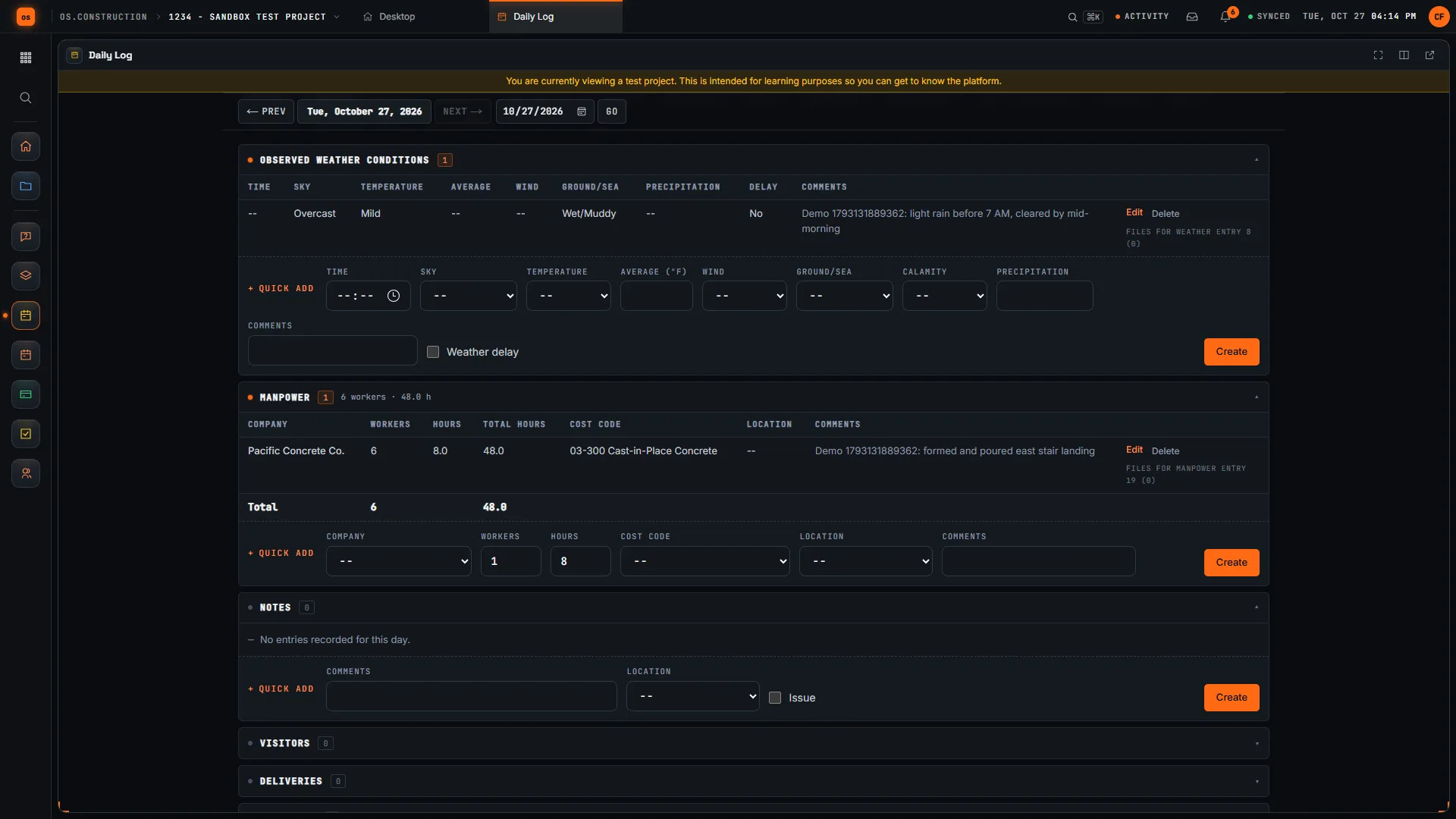
One row per company on site: workers, hours per worker, a cost code and a location. The app multiplies them into total hours and adds up the day: here, Pacific Concrete Co. with 6 workers for 8 hours is 48 man-hours on cast-in-place concrete. Copy from previous day brings yesterday's manpower forward so you only change what changed. A day with no manpower is the hardest thing to explain later.
03 Notes: specific enough to act on
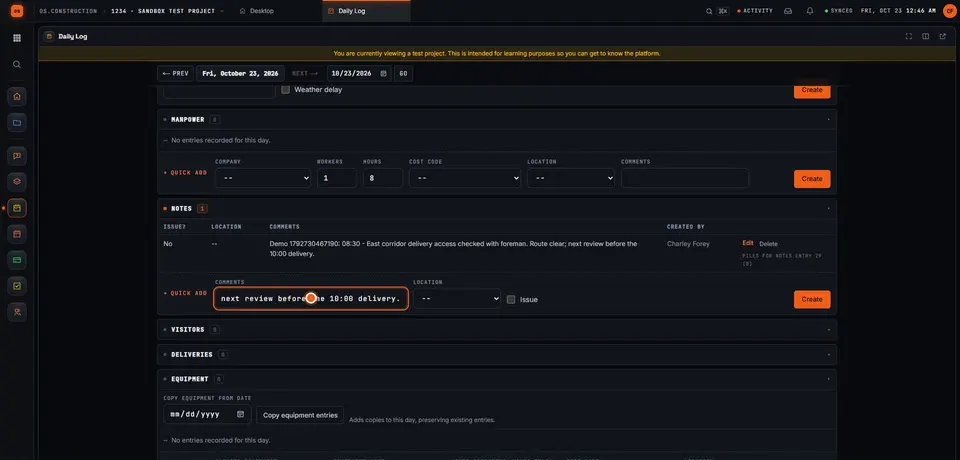
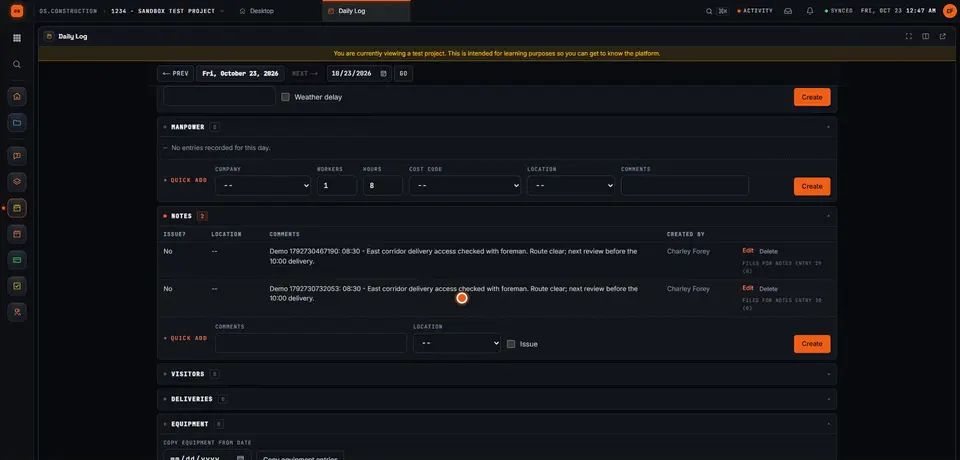
A note has a comment, a location and an Issue flag for anything that needs follow-up. There's no separate time field, so put the time in the text: "08:30, east corridor delivery access checked with foreman; route clear; review again before the 10:00 delivery." Who wrote it is recorded for you.
04 Complete the day
When the day is written, tick the acknowledgement and Complete Day. It needs at least one real entry: weather or photos alone don't count. A completed day can't be edited until someone with admin rights uses Reopen Day, so the record stays as it was signed off. Export PDF or Export CSV when someone asks for the report.
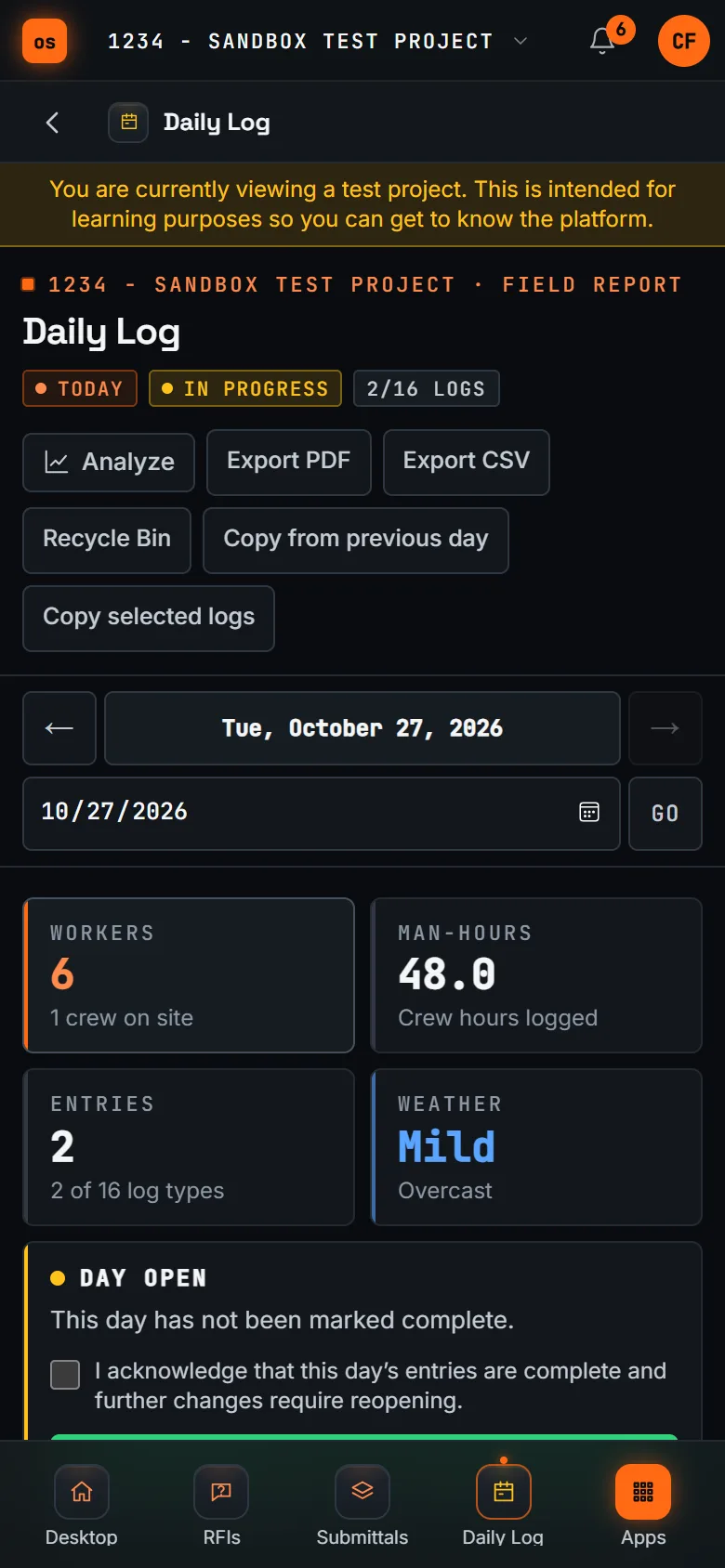
On a phone, the same day: tiles, exports and the Complete Day acknowledgement. Recorded in the app · sample data
The day with no log is the one you'll be asked about
Man-hours per day from manpower entries over two weeks. Thursday the 15th was a rain delay with a reduced crew, and it's on the record. Tuesday the 20th has timecards but no daily log, which the field analytics flag. Logs written on 9 of 10 days: 90% compliance. Illustrative numbers.
The Field operations analytics track man-hours, average workers per day, weather delays and daily log compliance, and compare manpower hours with timecards, so a missing day shows up the week it happens, not the year after.
Not today: automatic weather from a weather service, emailing or distributing the daily report from the app, signatures on a completed day, a PDF that covers all sixteen log types (it includes manpower, weather, notes, visitors, deliveries and equipment), and logging offline. "Today" follows UTC, so check the date on late-evening entries.
Keep going
Keep exploring
Related across os.construction
- GlossaryDaily LogThe superintendent's dated record of each day on site: weather, manpower, work performed, deliveries, inspections, visitors, delays and issues.
- PlatformRole guide: SuperintendentA superintendent’s week in os.construction.
- Free toolDaily log checklistFree daily report checklist for superintendents.
- BlogField to ledger: why daily logs are financial documentsThe daily log is usually treated as a field formality. It's actually the first record of almost every number accounting cares about: labor, equipment, deliveries, delays and changes. Here's what to capture, and how it flows to cost, billing and claims.
- PlatformCourse: run your first projectSeven 10-minute lessons on the sample project: RFIs, daily log, meetings, punch, changes and pay apps.
- GlossaryForce MajeureA contract clause that excuses delay (and sometimes performance) caused by events beyond either party's control, like severe weather, war or epidemics.
Sample project included
Try this workflow on the sample project
Every trial workspace includes a sample project with sample data, so you can follow these steps in the app before touching a live job.
Want this on live job data?
The daily log, its PDF and CSV exports and the field analytics are live in os.construction. Weather isn't fetched automatically and reports aren't emailed from the app today.
14-day free trial. Pricing for paid plans isn't set yet. Talk to us. Already have an account? Sign in →
All figures are illustrative sample data, not a real project. Contract terms and state law decide how retainage, stored materials and change orders work on your job. Check both.