Safety observations to closed: building a safety record
A hazard someone noticed and nobody wrote down never happened, as far as your safety record knows. Follow one observation, extension cords across a stair landing, from the walk to closed, and see how dozens of them become the leading indicators your insurer asks about.
Four states, one loop back
An observation is Initiated when it's saved. The assignee fixes it and marks it Ready For Review; the reviewer closes it or marks it Not Accepted, which sends it back. A closed observation can be reopened. Every status change is written to the record's response log.
Log it while you're standing there
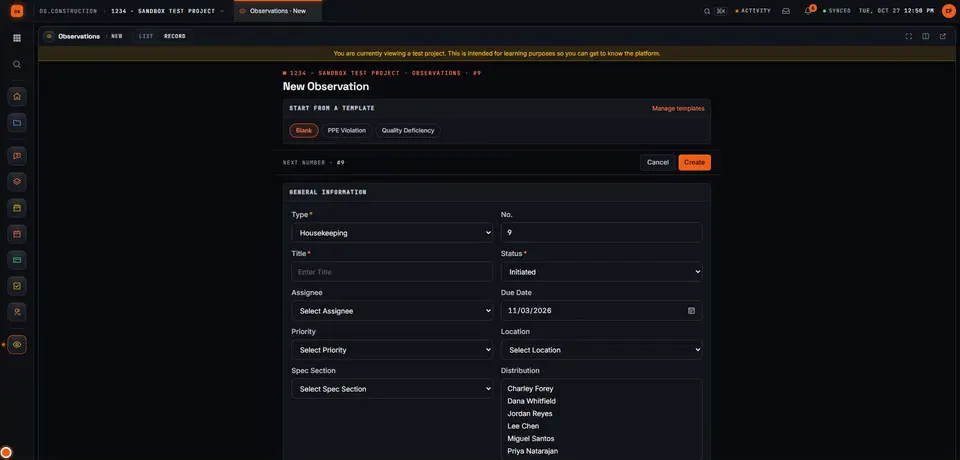
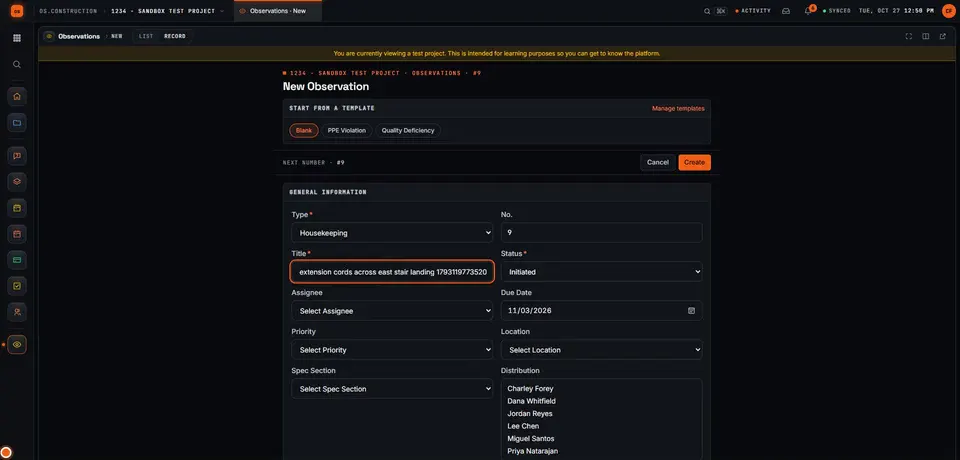
01 Pick the type, then name the hazard and where it is
Types are set up by your company and each belongs to a category: safety, quality, commissioning or warranty. That category is what the safety reports count. A good title says what and where: "extension cords across east stair landing".
02 Set how urgent it is and what to do
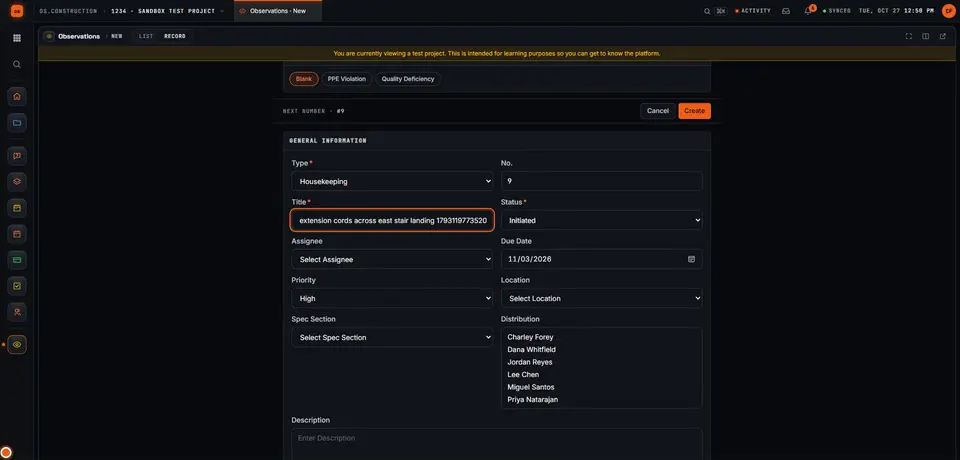
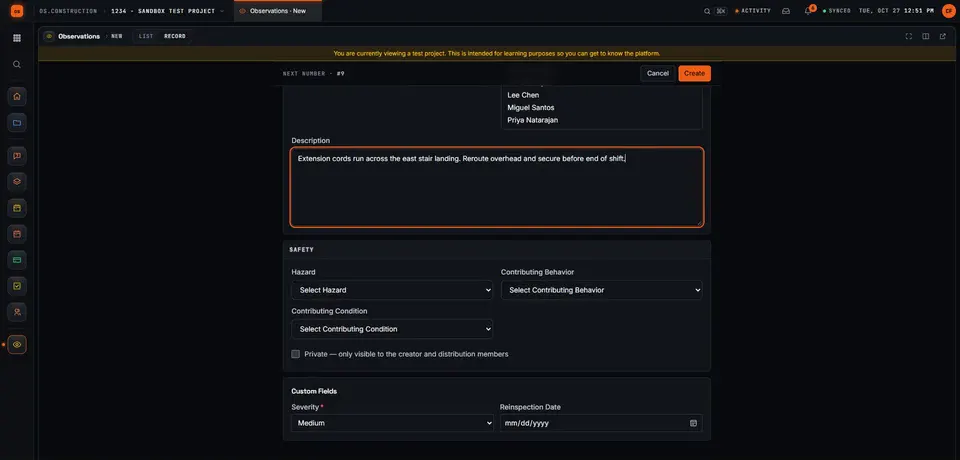
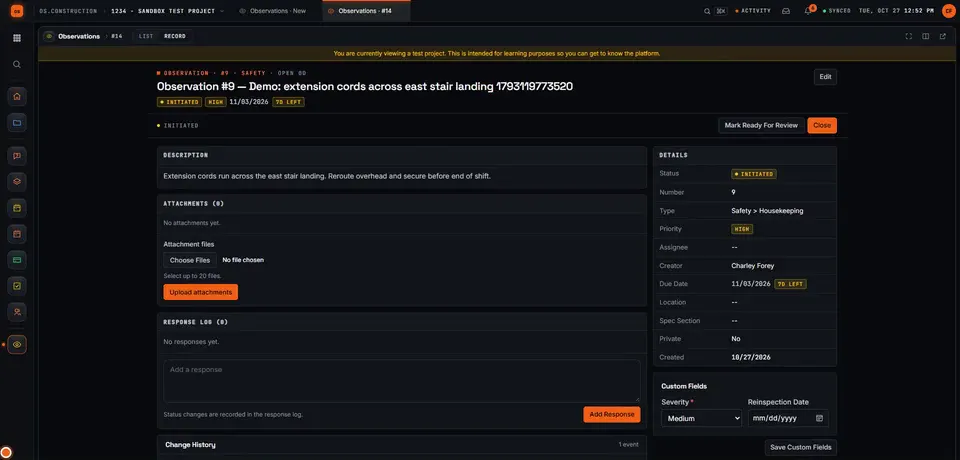
Priority is Low, Medium, High or Urgent; a trip hazard on a stair is High. The description says what was found and the corrective action: reroute the cords overhead and secure them before the end of the shift. Give it one assignee and a due date; the record shows how many days are left. Your company can add its own fields too, like the required Severity rating on this project, and lists of hazards and contributing behaviors and conditions for the patterns that matter later.
03 Create, and it's on the record
Create saves it as Initiated and opens the record: type, priority, due date, the assignee shown as ball in court, the response log and attachments for photos. From here the crew marks it Ready For Review when it's fixed, and you close it after checking.
04 Escalate when it's bigger than a fix
Some observations aren't a five-minute fix. The Escalate panel turns one into an RFI (when the design is the problem) or a punch item (when it's finished work that has to be corrected), copying the title, description, location and cost code and linking both records. Converting again opens the same RFI or punch item instead of creating a duplicate.
Leading indicators, before anyone gets hurt
Observations and near misses are leading indicators: they rise when people are looking. Recordable incidents are the lagging one. The quality and safety analytics plot them together, and flag it when observations fall: "Observations down 32% in 4 weeks" here, because the last four weeks logged 58 against 85 before. Illustrative numbers.
Recordable incidents come from the Incidents tool, which records the OSHA case type, injuries, days away and corrective actions, and an incident's corrective actions can link to observations. TRIR also needs the hours worked on the job. The Incidents tool also has an OSHA 300 log page.
Not today: logging observations offline with no signal, exporting the OSHA 300 or 300A log, more than one assignee per observation, and changing the observation workflow's states. Severity isn't a built-in field: add it as a custom field if your program uses one.
Keep going
Keep exploring
Related across os.construction
- DocsObservations: log safety and quality issuesLog a safety, quality, commissioning or warranty observation, assign it, move it through review, and escalate it to an RFI or punch item when it needs one.
- GlossaryWarranty PeriodThe time after completion during which the contractor must correct defective work, typically one year from substantial completion plus any longer manufacturer or specified warranties.
- ExplainerInspections that actually closeRun a checklist from a template in os.construction, turn a failed item into a linked observation, check the fix, close it and re-inspect.
- ExplainerPunch list to closeout, on one recordFollow a deficiency from a failed inspection item to an observation, a punch item, review and sign-off, and see what closing punch means for retainage.
- DocsPunch list: create, assign and close itemsCreate punch items with a manager, final approver and assignees, let trades mark their work resolved, then review, approve and close each item.
- GlossaryCertificate of Occupancy (CO)The document a local building authority issues stating a building complies with codes and approved plans and may legally be occupied.
Sample project included
Try this workflow on the sample project
Every trial workspace includes a sample project with sample data, so you can follow these steps in the app before touching a live job.
Want this on live job data?
Observations, incidents and the quality and safety analytics are live in os.construction. Offline capture and OSHA log exports are not available today.
14-day free trial. Pricing for paid plans isn't set yet. Talk to us. Already have an account? Sign in →
All figures are illustrative sample data, not a real project. Contract terms and state law decide how retainage, stored materials and change orders work on your job. Check both.